Transform Function
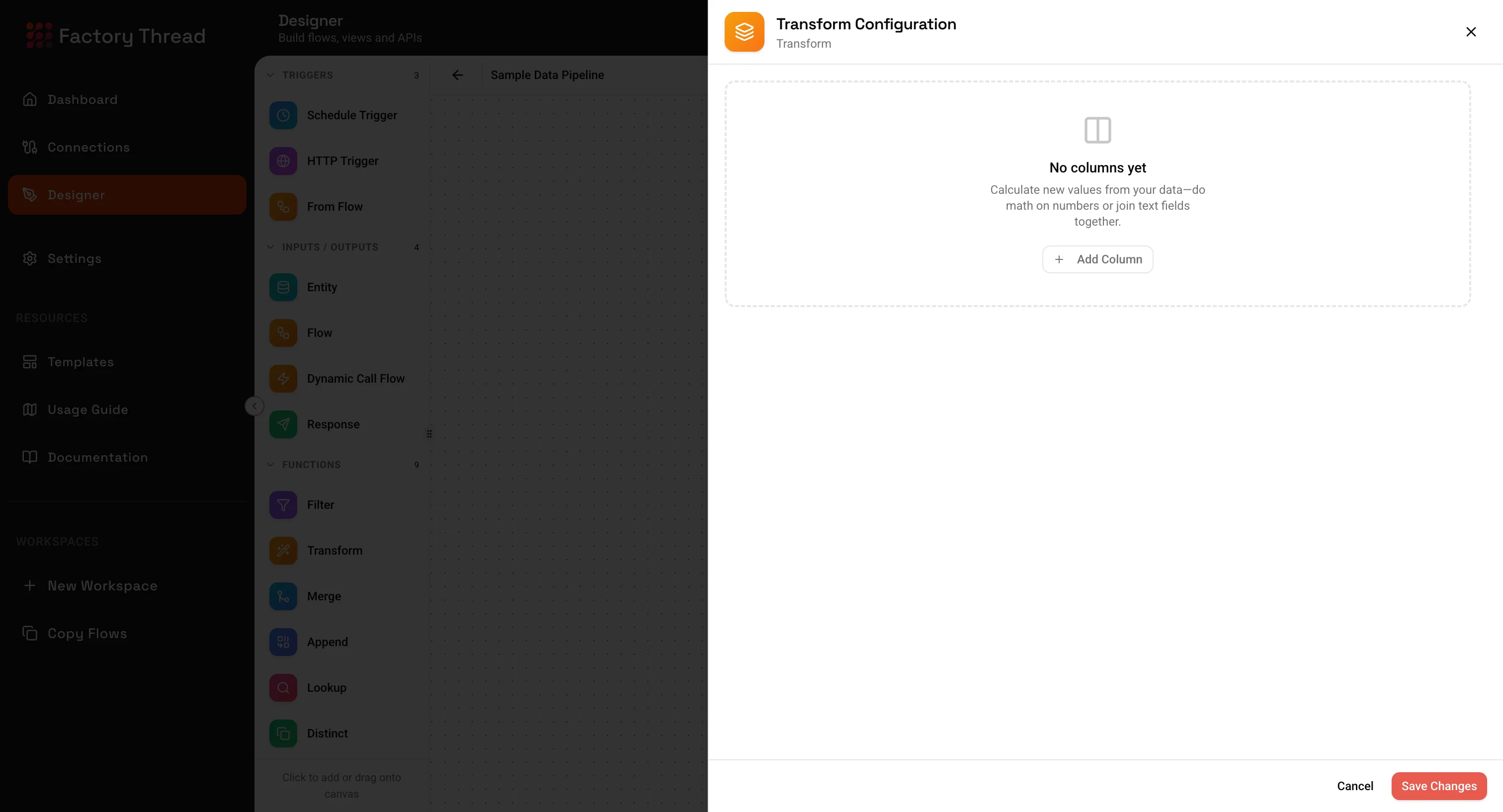
The Transform function adds new calculated fields or modifies existing field values using expressions. It's essential for data manipulation, format conversion, and creating derived values.
How It Works
Transform processes each row and evaluates your expressions:
- New fields are added to the output schema
- Modified fields replace original values
- All other fields pass through unchanged
Each row is processed independently - expressions cannot reference other rows.
Adding a Transform
- Drag Transform from the Functions section of the Element Panel
- Or click on the canvas and select Transform from the quick menu
- Connect it to your data source
- Click the Transform node to configure expressions
Configuration Panel
Field Definitions
The Transform panel shows a list of field definitions. Each definition specifies:
- The output field name
- The expression to calculate the value
- The output data type
Adding a Field
- Click Add Field
- Enter the Field Name (output column name)
- Enter the Expression (the calculation)
- Select the Data Type (output type)
Field Components
Field Name The name of the output column. Rules:
- Must be unique within the Transform
- Cannot match an existing field you're not overwriting
- Use descriptive names that indicate the content
- Avoid spaces and special characters (use underscores)
Expression The calculation to perform. Can include:
- Field references from upstream data
- Literal values (strings, numbers, dates)
- Functions (string, math, date, conditional)
- Parameters from triggers
- Combinations of the above
Data Type The expected output type:
- Text - String values
- Number - Numeric values (integers or decimals)
- Boolean - True/false values
- Date - Date/time values
- Object - Complex nested data
Expression Language
Field References
Reference upstream fields by name:
${fieldName}
Examples:
${FirstName}
${OrderTotal}
${CreatedDate}
For fields with spaces or special characters:
${["Field With Spaces"]}
${["Order#"]}
Literal Values
Strings - Wrap in quotes:
"Hello World"
'Single quotes work too'
Numbers - Use without quotes:
100
3.14159
-50
Booleans - Lowercase:
true
false
Dates - ISO format in quotes:
"2024-01-15"
"2024-01-15T09:30:00Z"
Operators
Arithmetic:
| Operator | Description | Example |
|---|---|---|
+ | Addition | ${Price} + ${Tax} |
- | Subtraction | ${Revenue} - ${Cost} |
* | Multiplication | ${Quantity} * ${UnitPrice} |
/ | Division | ${Total} / ${Count} |
% | Modulo | ${Number} % 2 |
String Concatenation:
${FirstName} + " " + ${LastName}
Comparison:
| Operator | Description | Example |
|---|---|---|
== | Equals | ${Status} == "Active" |
!= | Not equals | ${Type} != "Test" |
> | Greater than | ${Amount} > 100 |
>= | Greater or equal | ${Score} >= 80 |
< | Less than | ${Age} < 18 |
<= | Less or equal | ${Count} <= 10 |
Logical:
| Operator | Description | Example |
|---|---|---|
&& | And | ${Active} && ${Verified} |
|| | Or | ${Admin} || ${Manager} |
! | Not | !${Deleted} |
String Functions
CONCAT
Combines multiple values into a single string.
Syntax: CONCAT(value1, value2, ...)
Examples:
CONCAT(${FirstName}, " ", ${LastName})
// "John" + " " + "Smith" → "John Smith"

CONCAT(${City}, ", ", ${State}, " ", ${ZipCode})
// "Seattle" + ", " + "WA" + " " + "98101" → "Seattle, WA 98101"
UPPER / LOWER
Converts text to uppercase or lowercase.
Syntax: UPPER(text) | LOWER(text)
Examples:
UPPER(${ProductCode})
// "abc-123" → "ABC-123"

LOWER(${Email})
// "John.Doe@Company.com" → "john.doe@company.com"
TRIM
Removes leading and trailing whitespace.
Syntax: TRIM(text)
Examples:
TRIM(${UserInput})
// "  hello world  " → "hello world"

TRIM(${Name})
// " John Smith " → "John Smith"
SUBSTRING
Extracts a portion of text.
Syntax: SUBSTRING(text, start, length)
start- Starting position (0-based)length- Number of characters to extract
Examples:
SUBSTRING(${ProductCode}, 0, 3)
// "PRD-12345" → "PRD"

SUBSTRING(${Phone}, 0, 3)
// "206-555-1234" → "206"

SUBSTRING(${Date}, 0, 4)
// "2024-01-15" → "2024"
LEFT / RIGHT
Extracts characters from the start or end.
Syntax: LEFT(text, length) | RIGHT(text, length)
Examples:
LEFT(${OrderNumber}, 4)
// "ORD-12345" → "ORD-"

RIGHT(${SKU}, 4)
// "PROD-9876" → "9876"
REPLACE
Replaces occurrences of a substring.
Syntax: REPLACE(text, search, replacement)
Examples:
REPLACE(${Phone}, "-", "")
// "206-555-1234" → "2065551234"

REPLACE(${Status}, "In Progress", "WIP")
// "In Progress" → "WIP"
LENGTH
Returns the number of characters.
Syntax: LENGTH(text)
Examples:
LENGTH(${Name})
// "John Smith" → 10

LENGTH(${ProductCode})
// "PRD-12345" → 9
SPLIT
Splits text into an array.
Syntax: SPLIT(text, delimiter)
Examples:
SPLIT(${Tags}, ",")
// "red,green,blue" → ["red", "green", "blue"]

SPLIT(${FullName}, " ")
// "John Smith" → ["John", "Smith"]
INDEXOF
Finds the position of a substring.
Syntax: INDEXOF(text, search)
Returns -1 if not found.
Examples:
INDEXOF(${Email}, "@")
// "john@company.com" → 4

INDEXOF(${Text}, "error")
// "No error found" → 3
// "All good" → -1
PAD
Pads text to a specified length.
Syntax: PADLEFT(text, length, char) | PADRIGHT(text, length, char)
Examples:
PADLEFT(${OrderNumber}, 10, "0")
// "123" → "0000000123"

PADRIGHT(${Name}, 20, " ")
// "John" → "John                "
Number Functions
ROUND / FLOOR / CEIL
Rounds numbers to specified precision.
Syntax:
ROUND(number, decimals)- Round to nearestFLOOR(number)- Round downCEIL(number)- Round up
Examples:
ROUND(${Price}, 2)
// 99.956 → 99.96

FLOOR(${Quantity})
// 3.7 → 3

CEIL(${Score})
// 89.1 → 90
ABS
Returns the absolute value.
Syntax: ABS(number)
Examples:
ABS(${Balance})
// -150.50 → 150.50

ABS(${Difference})
// -25 → 25
MIN / MAX
Returns the minimum or maximum of values.
Syntax: MIN(value1, value2, ...) | MAX(value1, value2, ...)
Examples:
MIN(${Price}, ${CompetitorPrice})
// Returns the lower of two prices

MAX(${Score1}, ${Score2}, ${Score3})
// Returns the highest of three scores

MIN(${Quantity}, 100)
// Caps quantity at maximum 100
SUM / AVG
Aggregates values (useful with arrays).
Syntax: SUM(array) | AVG(array)
Examples:
SUM(${LineItems.Amount})
// Sum of all line item amounts

AVG(${Scores})
// Average of score array
MOD
Returns the remainder of division.
Syntax: MOD(number, divisor)
Examples:
MOD(${RowNumber}, 2)
// 0 if even, 1 if odd

MOD(${Sequence}, 10)
// Last digit of sequence number
POWER
Raises a number to a power.
Syntax: POWER(base, exponent)
Examples:
POWER(${Length}, 2)
// Square of length

POWER(${Growth}, ${Years})
// Compound calculation
Date Functions
NOW / TODAY
Returns current date/time or date.
Syntax: NOW() | TODAY()
Examples:
NOW()
// "2024-01-15T14:30:00Z"

TODAY()
// "2024-01-15"
DATEADD
Adds or subtracts from a date.
Syntax: DATEADD(date, amount, unit)
Units: "year", "month", "week", "day", "hour", "minute", "second"
Examples:
DATEADD(${OrderDate}, 30, "day")
// Add 30 days to order date

DATEADD(${StartDate}, -1, "week")
// Subtract 1 week from start date

DATEADD(NOW(), 1, "year")
// One year from now
DATEDIFF
Calculates the difference between dates.
Syntax: DATEDIFF(date1, date2, unit)
Examples:
DATEDIFF(${EndDate}, ${StartDate}, "day")
// Days between start and end

DATEDIFF(NOW(), ${CreatedDate}, "month")
// Months since creation

DATEDIFF(${DueDate}, TODAY(), "day")
// Days until due (negative if overdue)
DATEPART
Extracts a component from a date.
Syntax: DATEPART(date, part)
Parts: "year", "month", "day", "hour", "minute", "second", "dayofweek", "quarter"
Examples:
DATEPART(${OrderDate}, "year")
// 2024

DATEPART(${CreatedDate}, "month")
// 1 (January)

DATEPART(${Timestamp}, "hour")
// 14 (2 PM)

DATEPART(${Date}, "quarter")
// 1, 2, 3, or 4
FORMAT_DATE
Formats a date as text.
Syntax: FORMAT_DATE(date, format)
Format patterns:
YYYY- 4-digit yearMM- 2-digit monthDD- 2-digit dayHH- 2-digit hour (24h)mm- 2-digit minutess- 2-digit second
Examples:
FORMAT_DATE(${OrderDate}, "MM/DD/YYYY")
// "01/15/2024"

FORMAT_DATE(${Timestamp}, "YYYY-MM-DD HH:mm")
// "2024-01-15 14:30"

FORMAT_DATE(${Date}, "MMMM D, YYYY")
// "January 15, 2024"
PARSE_DATE
Parses text into a date.
Syntax: PARSE_DATE(text, format)
Examples:
PARSE_DATE(${DateString}, "MM/DD/YYYY")
// "01/15/2024" → Date object

PARSE_DATE(${Timestamp}, "YYYY-MM-DD HH:mm:ss")
// "2024-01-15 14:30:00" → DateTime object
Conditional Functions
IF
Returns different values based on a condition.
Syntax: IF(condition, trueValue, falseValue)
Examples:
IF(${Amount} > 1000, "High", "Standard")
// Returns "High" if amount exceeds 1000

IF(${Status} == "Active", 1, 0)
// Converts status to numeric flag

IF(${Score} >= 80, "Pass", "Fail")
// Grade assignment
Nested IF
Chain conditions for multiple outcomes.
Examples:
IF(${Score} >= 90, "A",
  IF(${Score} >= 80, "B",
    IF(${Score} >= 70, "C",
      IF(${Score} >= 60, "D", "F"))))
// Grade calculation

IF(${Amount} >= 10000, "Enterprise",
  IF(${Amount} >= 1000, "Business", "Starter"))
// Tier assignment
CASE
Multiple condition evaluation (cleaner than nested IF).
Syntax:
CASE(
  condition1, result1,
  condition2, result2,
  ...,
  defaultResult
)
Examples:
CASE(
  ${Region} == "US", "United States",
  ${Region} == "UK", "United Kingdom",
  ${Region} == "CA", "Canada",
  "Other"
)

CASE(
  ${Priority} == 1, "Critical",
  ${Priority} == 2, "High",
  ${Priority} == 3, "Medium",
  "Low"
)
COALESCE
Returns the first non-null value.
Syntax: COALESCE(value1, value2, ...)
Examples:
COALESCE(${PreferredName}, ${FirstName}, "Unknown")
// Returns preferred name, or first name, or "Unknown"

COALESCE(${MobilePhone}, ${WorkPhone}, ${HomePhone})
// Returns first available phone number

COALESCE(${OverridePrice}, ${BasePrice})
// Use override if set, otherwise base price
ISNULL / ISNOTNULL
Checks for null values.
Syntax: ISNULL(value) | ISNOTNULL(value)
Examples:
IF(ISNULL(${MiddleName}), ${FirstName} + " " + ${LastName},
   ${FirstName} + " " + ${MiddleName} + " " + ${LastName})

IF(ISNOTNULL(${CompletedDate}), "Completed", "In Progress")
NULLIF
Returns null if values are equal.
Syntax: NULLIF(value1, value2)
Examples:
NULLIF(${Amount}, 0)
// Returns null if amount is 0 (useful for division)

NULLIF(${Status}, "N/A")
// Returns null if status is "N/A"
Type Conversion Functions
TOSTRING
Converts any value to text. For objects and arrays, converts to JSON string format.
Syntax: TOSTRING(value)
Examples:
TOSTRING(${OrderNumber})
// 12345 → "12345"

TOSTRING(${Price})
// 99.95 → "99.95"

TOSTRING(${IsActive})
// true → "true"

TOSTRING(${CustomerData})
// {name: "John", age: 30} → '{"name":"John","age":30}'

TOSTRING(${Tags})
// ["red", "blue"] → '["red","blue"]'
Note: For object and array fields, only "To String" and conditional (IF/THEN) operations are available in the Transform panel.
TONUMBER
Converts text to a number.
Syntax: TONUMBER(text)
Examples:
TONUMBER(${QuantityString})
// "100" → 100

TONUMBER(${PriceText})
// "99.95" → 99.95
TOBOOLEAN
Converts to a boolean.
Syntax: TOBOOLEAN(value)
Examples:
TOBOOLEAN(${ActiveFlag})
// "true" → true
// 1 → true
// "Y" → true

TOBOOLEAN(${IsEnabled})
// "false" → false
// 0 → false
// "N" → false
TODATE
Converts text to a date.
Syntax: TODATE(text)
Examples:
TODATE(${DateString})
// "2024-01-15" → Date object

TODATE(${Timestamp})
// "2024-01-15T14:30:00Z" → DateTime object
JSON Functions
JSON_EXTRACT
Extracts a value from JSON using a path.
Syntax: JSON_EXTRACT(json, path)
Examples:
JSON_EXTRACT(${Metadata}, "$.customer.name")
// {"customer": {"name": "John"}} → "John"

JSON_EXTRACT(${Response}, "$.data.items[0].id")
// {"data": {"items": [{"id": 123}]}} → 123
JSON_ARRAY_LENGTH
Returns the length of a JSON array.
Syntax: JSON_ARRAY_LENGTH(json, path)
Examples:
JSON_ARRAY_LENGTH(${Order}, "$.lineItems")
// Number of line items in order

JSON_ARRAY_LENGTH(${Response}, "$.results")
// Number of results returned
Common Transform Patterns
Creating Full Names
Simple concatenation:
Field: FullName
Expression: CONCAT(${FirstName}, " ", ${LastName})
Type: Text
With middle name handling:
Field: FullName
Expression: IF(ISNOTNULL(${MiddleName}),
  CONCAT(${FirstName}, " ", ${MiddleName}, " ", ${LastName}),
  CONCAT(${FirstName}, " ", ${LastName}))
Type: Text
Calculating Totals
Line item total:
Field: LineTotal
Expression: ${Quantity} * ${UnitPrice}
Type: Number
With discount:
Field: DiscountedTotal
Expression: ${Quantity} * ${UnitPrice} * (1 - ${DiscountPercent} / 100)
Type: Number
With tax:
Field: GrandTotal
Expression: ${Subtotal} * (1 + ${TaxRate} / 100)
Type: Number
Standardizing Formats
Phone numbers:
Field: FormattedPhone
Expression: CONCAT("(", SUBSTRING(${Phone}, 0, 3), ") ",
  SUBSTRING(${Phone}, 3, 3), "-", SUBSTRING(${Phone}, 6, 4))
Type: Text
// "2065551234" → "(206) 555-1234"
Currency:
Field: FormattedPrice
Expression: CONCAT("$", TOSTRING(ROUND(${Price}, 2)))
Type: Text
// 99.5 → "$99.50"
Dates:
Field: DisplayDate
Expression: FORMAT_DATE(${OrderDate}, "MMM D, YYYY")
Type: Text
// 2024-01-15 → "Jan 15, 2024"
Status Mappings
Code to description:
Field: StatusDescription
Expression: CASE(
  ${StatusCode} == "A", "Active",
  ${StatusCode} == "P", "Pending",
  ${StatusCode} == "C", "Completed",
  ${StatusCode} == "X", "Cancelled",
  "Unknown")
Type: Text
Boolean to text:
Field: ActiveStatus
Expression: IF(${IsActive}, "Yes", "No")
Type: Text
Age Calculations
Age from birthdate:
Field: Age
Expression: DATEDIFF(TODAY(), ${BirthDate}, "year")
Type: Number
Days until due:
Field: DaysRemaining
Expression: DATEDIFF(${DueDate}, TODAY(), "day")
Type: Number
Is overdue flag:
Field: IsOverdue
Expression: ${DueDate} < TODAY() && ISNULL(${CompletedDate})
Type: Boolean
Data Classification
Value tiers:
Field: CustomerTier
Expression: CASE(
  ${TotalPurchases} >= 100000, "Platinum",
  ${TotalPurchases} >= 50000, "Gold",
  ${TotalPurchases} >= 10000, "Silver",
  "Bronze")
Type: Text
Priority scoring:
Field: PriorityScore
Expression: (${Value} * 0.4) + (${Urgency} * 0.3) + (${Impact} * 0.3)
Type: Number
Extracting Parts
Domain from email:
Field: EmailDomain
Expression: SUBSTRING(${Email}, INDEXOF(${Email}, "@") + 1, 100)
Type: Text
// "john@company.com" → "company.com"
Year from date:
Field: OrderYear
Expression: DATEPART(${OrderDate}, "year")
Type: Number
First word:
Field: FirstWord
Expression: SUBSTRING(${Text}, 0, INDEXOF(${Text}, " "))
Type: Text
Null Handling
Default values:
Field: DisplayName
Expression: COALESCE(${Nickname}, ${FirstName}, "Guest")
Type: Text
Null-safe calculations:
Field: SafeTotal
Expression: COALESCE(${Quantity}, 0) * COALESCE(${Price}, 0)
Type: Number
Null replacement:
Field: CleanedNotes
Expression: COALESCE(${Notes}, "")
Type: Text
Using Parameters
Reference trigger parameters in expressions:
From HTTP trigger:
Field: AppliedDiscount
Expression: ${Price} * (1 - ${discountPercent} / 100)
From schedule trigger:
Field: IsAfterCutoff
Expression: ${OrderDate} >= ${reportStartDate}
Dynamic thresholds:
Field: PriorityFlag
Expression: IF(${Amount} >= ${minAmount}, "Priority", "Standard")
Multiple Transforms
You can add multiple field definitions in a single Transform node:
Field 1: FullName = CONCAT(${FirstName}, " ", ${LastName})
Field 2: TotalPrice = ${Quantity} * ${UnitPrice}
Field 3: OrderYear = DATEPART(${OrderDate}, "year")
Field 4: IsHighValue = ${TotalPrice} > 1000
Field 5: Status = IF(${Active}, "Active", "Inactive")
All fields are calculated and added to the output.
Overwriting Fields
To modify an existing field, use the same field name:
Trim whitespace:
Field: CustomerName (existing field)
Expression: TRIM(${CustomerName})
Convert case:
Field: Email (existing field)
Expression: LOWER(${Email})
Rounding:
Field: Price (existing field)
Expression: ROUND(${Price}, 2)
Best Practices
Name Fields Clearly
// Good - descriptive names
FullName, TotalWithTax, DaysUntilDue, IsHighPriority

// Avoid - unclear names
Field1, Calc, Temp, X
Keep Expressions Readable
Complex expression - hard to read:
IF(${A}>100,IF(${B}=="X",${C}*1.1,${C}*0.9),${C})
Better - use CASE or multiple transforms:
CASE(
  ${Amount} > 100 && ${Type} == "Premium", ${BasePrice} * 1.1,
  ${Amount} > 100, ${BasePrice} * 0.9,
  ${BasePrice}
)
Handle Nulls Explicitly
Null values can cause unexpected results:
// Risky - null propagates
${Price} * ${Quantity}

// Safe - handle nulls
COALESCE(${Price}, 0) * COALESCE(${Quantity}, 0)
Validate Types
Ensure expression output matches the specified type:
// Expression returns number, type should be Number
${Quantity} * ${Price}

// Expression returns text, type should be Text
CONCAT(${First}, " ", ${Last})

// Expression returns boolean, type should be Boolean
${Amount} > 1000
Test Edge Cases
Preview with data that includes:
- Null values
- Empty strings
- Negative numbers
- Very long text
- Special characters
- Boundary values
Troubleshooting
Expression Errors
"Field not found":
- Check field name spelling
- Verify field exists in upstream data
- Use the field selector dropdown
"Type mismatch":
- Ensure operations match types
- Use conversion functions when needed
- Numbers and strings don't mix with
+
"Syntax error":
- Check parentheses matching
- Verify function names and arguments
- Look for missing quotes around strings
Unexpected Results
Null output:
- One operand might be null
- Use COALESCE or null checks
Wrong data type:
- Verify the type selector matches your expression
- Use explicit conversion functions
Incorrect calculations:
- Check operator precedence
- Use parentheses to clarify order
Performance Issues
Slow transforms:
- Complex nested IFs are expensive
- JSON parsing on large objects takes time
- Consider filtering first to reduce row count
Memory issues:
- Avoid creating very long strings
- Don't expand arrays unnecessarily
Examples
E-commerce Order Processing
Transform: Order Calculations

Field 1: LineTotal
Expression: ${Quantity} * ${UnitPrice}
Type: Number

Field 2: DiscountAmount
Expression: ${LineTotal} * ${DiscountPercent} / 100
Type: Number

Field 3: TaxableAmount
Expression: ${LineTotal} - ${DiscountAmount}
Type: Number

Field 4: TaxAmount
Expression: ${TaxableAmount} * ${TaxRate} / 100
Type: Number

Field 5: OrderTotal
Expression: ${TaxableAmount} + ${TaxAmount}
Type: Number

Field 6: OrderDate
Expression: FORMAT_DATE(${CreatedAt}, "MMMM D, YYYY")
Type: Text
Customer Data Standardization
Transform: Standardize Customer Data

Field 1: FullName
Expression: CONCAT(TRIM(${FirstName}), " ", TRIM(${LastName}))
Type: Text

Field 2: Email
Expression: LOWER(TRIM(${Email}))
Type: Text

Field 3: Phone
Expression: REPLACE(REPLACE(REPLACE(${Phone}, "-", ""), "(", ""), ")", "")
Type: Text

Field 4: CustomerSince
Expression: DATEPART(${CreatedDate}, "year")
Type: Number

Field 5: IsLongTermCustomer
Expression: DATEDIFF(TODAY(), ${CreatedDate}, "year") >= 5
Type: Boolean
Sales Performance Metrics
Transform: Calculate Sales Metrics

Field 1: Revenue
Expression: ${Quantity} * ${SalePrice}
Type: Number

Field 2: Cost
Expression: ${Quantity} * ${CostPrice}
Type: Number

Field 3: Profit
Expression: ${Revenue} - ${Cost}
Type: Number

Field 4: ProfitMargin
Expression: ROUND((${Profit} / ${Revenue}) * 100, 2)
Type: Number

Field 5: PerformanceRating
Expression: CASE(
  ${ProfitMargin} >= 30, "Excellent",
  ${ProfitMargin} >= 20, "Good",
  ${ProfitMargin} >= 10, "Average",
  "Below Target")
Type: Text
Next Steps
- Filter Function - Filter rows based on conditions
- Map Function - Select and rename fields
- Merge Function - Combine data from multiple sources
- Building Flows - Complete workflow guide