Lookup Function
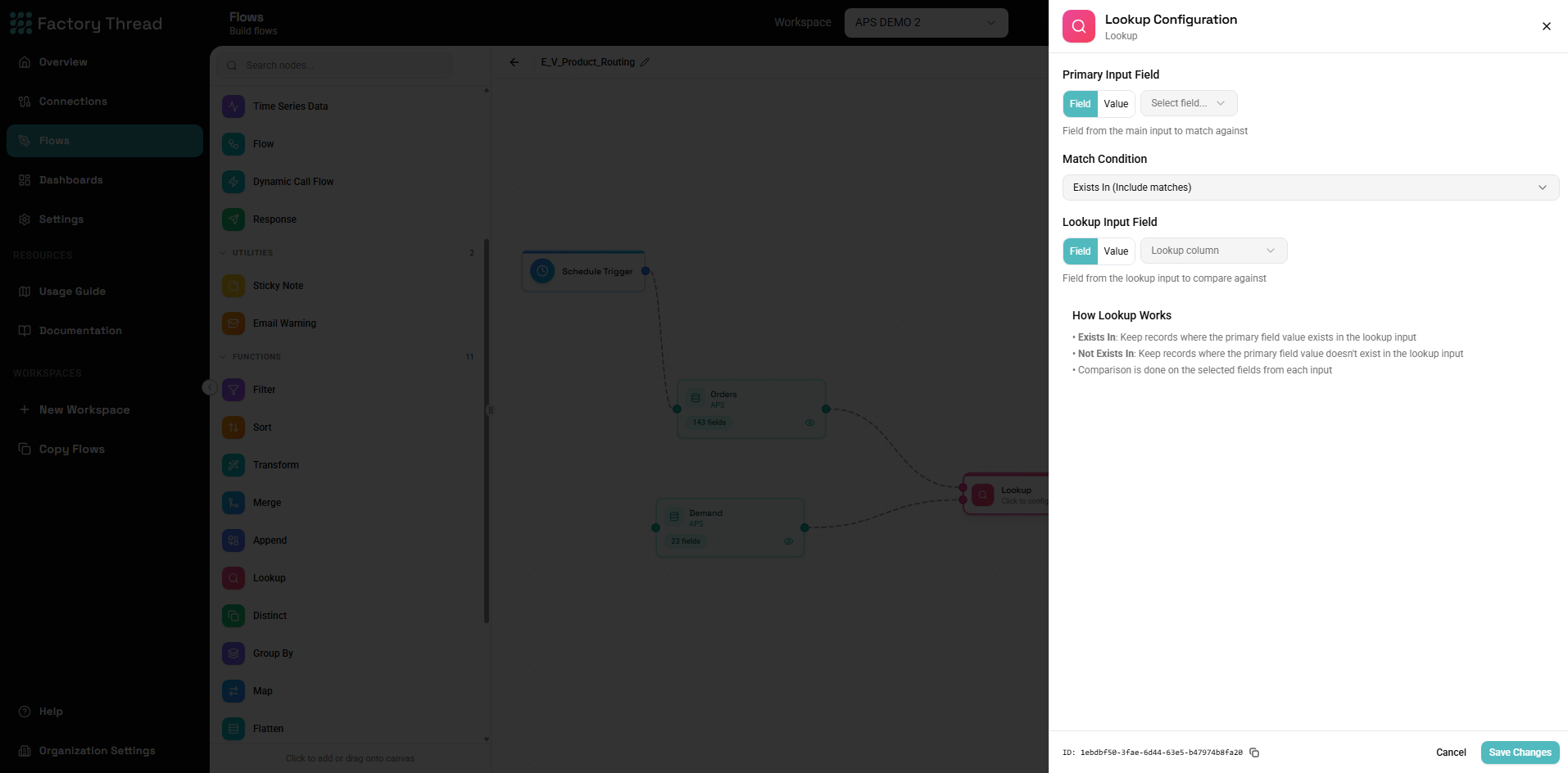
The Lookup function enriches your data by adding fields from a reference table based on key matching. It's similar to a Left Join in Merge but optimized for the common pattern of looking up values from a reference source.
How It Works
Lookup takes two inputs:
- Main data - Your primary dataset (all rows are preserved)
- Reference data - The lookup table (matched to add fields)
For each row in main data:
- Find matching row(s) in reference data by key
- Add specified fields from the matched reference row
- If no match found, fields are null
- Main data rows are never duplicated or removed
Lookup vs. Merge
| Aspect | Lookup | Merge (Left Join) |
|---|---|---|
| Purpose | Add specific fields | Combine all columns |
| Field selection | Explicit | All or configured |
| One-to-many | Returns first match | Creates multiple rows |
| Configuration | Simpler | More options |
| Performance | Optimized for lookups | General purpose |
Use Lookup when:
- Adding a few fields from a reference table
- You want exactly one match per row
- The pattern matches VLOOKUP/INDEX-MATCH
Use Merge when:
- Combining datasets with many fields
- You need control over join type
- One-to-many results are acceptable
Adding a Lookup
- Drag Lookup from the Functions section of the Element Panel
- Connect your main data source as the primary input
- Connect your reference data source as the lookup input
- Click the Lookup node to configure
- Choose the Match Condition, then name the columns to match on under Match columns — one row per pair, adding rows for a composite key
Configuration Panel
Source Configuration
Main Data Source:
- The primary dataset that flows through
- All rows preserved in output
- Fields remain unchanged except for added lookup fields
Lookup Source:
- The reference table to look up values from
- Only matched rows contribute fields
- Can be an Entity, result of another node, or parameter
Match columns
The Match columns section defines the key. Each row pairs one column from the main input with one column from the lookup input:
| Main column | Lookup column |
|---|---|
| CategoryID | ID |
A record matches when CategoryID equals ID in the lookup input.
Matching on more than one column
Use Add match column for a composite key. Every pair must be equal for a record to match — the pairs are combined with AND, never OR:
| Main column | Lookup column |
|---|---|
| Year | FiscalYear |
| Region | Territory |
A record for Year 2026 / Region West matches only a lookup row that is both
FiscalYear 2026 and Territory West. A lookup row matching only the year, or
only the region, is not a match.
This replaces the old workaround of adding a Formula node to each input to concatenate the key columns into a single synthetic key.
How empty values are compared
An empty value is compared like any other value: an empty cell on the main side matches an empty cell on the lookup side. Most sources deliver a blank cell as an empty value, so blank-to-blank pairings do match.
Only a value that is genuinely absent — the column missing from the record altogether, or a true database NULL — can never match. Such a record fails every pair regardless of the other columns: under Exists In it is dropped, under Not Exists In it is kept.
The practical consequence: if blanks in your key should not be treated as a real value, filter or replace them with a Formula node before the Lookup rather than relying on them to fall out on their own.
Column types
Each row warns when the two columns resolve to different types (matching text against a number, for example). The Flow still runs, but the comparison rarely does what you intend — convert one side with a Formula node first.
Every row must name a column on both sides. A row with one side left empty stops the Flow from publishing, with an error naming the row; remove the row if you did not mean to add it.
Fields to Add
Select which fields from the lookup table to add:
Configuration:
| Lookup Field | Output Name |
|---|---|
| CategoryName | Category |
| Description | CategoryDescription |
Field options:
- Lookup Field - The field in the reference table
- Output Name - The name in your output (can rename)
Match Options
When Multiple Matches Exist
First Match (default): Returns the first matching row found.
Last Match: Returns the last matching row found.
Error: Fails if multiple matches exist.
When No Match Exists
Return Null (default): Added fields are null.
Use Default Value: Specify default values for each field.
Error: Fails if no match found.
Cache Options
Cache Reference Data: Loads reference table into memory for faster lookups.
Best for:
- Small to medium reference tables
- Multiple lookups against same reference
- Static reference data
Avoid when:
- Reference table is very large
- Reference data changes during execution
Common Use Cases
Category Names
Main Data: Products with CategoryID Lookup: Categories (ID, CategoryName)
Goal: Add CategoryName to each product
Configuration:
- Key: CategoryID = ID
- Fields: CategoryName
Before:
| ProductID | ProductName | CategoryID |
|---|---|---|
| P001 | Widget | C01 |
| P002 | Gadget | C02 |
After:
| ProductID | ProductName | CategoryID | CategoryName |
|---|---|---|---|
| P001 | Widget | C01 | Electronics |
| P002 | Gadget | C02 | Accessories |
Status Descriptions
Main Data: Orders with StatusCode Lookup: StatusCodes (Code, Description, Color)
Goal: Add readable status descriptions
Configuration:
- Key: StatusCode = Code
- Fields: Description as StatusDescription
Country Information
Main Data: Customers with CountryCode Lookup: Countries (Code, Name, Continent, Currency)
Goal: Expand country code to full details
Configuration:
- Key: CountryCode = Code
- Fields: Name as CountryName, Currency
Employee Manager Names
Main Data: Employees with ManagerID Lookup: Employees (EmpID, FullName)
Goal: Add manager's name
Configuration:
- Key: ManagerID = EmpID
- Fields: FullName as ManagerName
Currency Conversion
Main Data: Transactions with Currency and Amount Lookup: ExchangeRates (Currency, RateToUSD)
Goal: Add exchange rate for conversion
Configuration:
- Key: Currency = Currency
- Fields: RateToUSD
Then Formula: AmountUSD = Amount * RateToUSD
Configuration Values
Main Data: Processing records Lookup: Config (Key, Value)
Goal: Add configuration parameters
Configuration:
- Key: ConfigKey = Key
- Fields: Value as ConfigValue
Multiple Lookups
Chain lookups for multiple reference tables:
Scenario: Products need Category and Supplier info
Flow:
[Products] → [Lookup: Categories] → [Lookup: Suppliers] → [Output]
First Lookup:
- Key: CategoryID
- Fields: CategoryName
Second Lookup:
- Key: SupplierID
- Fields: SupplierName, SupplierCountry
Handling Lookup Failures
No Match Found
Scenario: Some records don't have a matching reference entry
Options:
-
Accept nulls:
- Default behavior
- Missing lookups result in null fields
- Handle nulls downstream with COALESCE
-
Default values:
- Configure defaults:
CategoryName: "Unknown" - Applied when no match exists
- Configure defaults:
-
Filter after lookup:
- Add Filter: LookupField IS NOT NULL
- Removes rows without matches
-
Flag for review:
- Formula: HasCategory = CategoryName IS NOT NULL
- Filter or report rows without matches
Data Quality Checks
After Lookup Formula:
LookupStatus = IF(CategoryName IS NULL, "Missing Category",
              IF(SupplierName IS NULL, "Missing Supplier", "Complete"))
Filter for issues:
LookupStatus != "Complete"
Lookup Performance
Optimizing Reference Tables
Small reference tables (under 10,000 rows):
- Enable caching
- Fast memory-based lookups
- Load once, use many times
Large reference tables:
- Consider filtering reference data first
- Only include needed columns
- Evaluate if Merge is more appropriate
Key Considerations
Indexed keys:
- If reference is from database, indexed columns perform better
- Primary keys and foreign keys are ideal
Data types:
- Ensure key types match
- Type conversion happens but adds overhead
Multiple Lookups
When doing many lookups in sequence:
- Cache small reference tables
- Consider combining into fewer lookups
- Filter main data early to reduce lookup volume
Troubleshooting
All Lookup Fields Are Null
Possible causes:
-
Keys don't match
- Check data types (text vs number)
- Check for whitespace or case differences
- Preview both sources to compare values
-
Reference table is empty
- Verify reference source has data
- Check any filters on reference
-
Wrong key field selected
- Verify key mappings
- Ensure correct fields are connected
Debugging:
- Preview main data - note key values
- Preview lookup data - verify matching values exist
- Try matching a specific known value
Some Lookups Fail
Partial matches indicate:
- Some key values exist in reference, others don't
- This may be expected (new codes, legacy data)
Resolution:
- Use default values for expected missing entries
- Filter out rows that shouldn't have matches
- Update reference table with missing entries
Wrong Values Returned
Possible causes:
- Multiple matches - first one returned might not be intended
- Wrong key used - different field matched
Resolution:
- Make reference keys unique
- Add additional key fields (composite key)
- Sort reference appropriately if using first match
Duplicate Rows in Output
Note: Lookup should never create duplicates.
If you see duplicates:
- They existed in main data before Lookup
- Use Distinct before or after Lookup
Examples
Product Catalog Enrichment
Main Data: Product IDs from orders Lookups:
- Products table → Name, Price
- Categories table → CategoryName
- Inventory table → StockLevel
Flow:
[Order Items] → [Lookup: Products] → [Lookup: Categories] → [Lookup: Inventory] → [Output]
Employee Directory
Main Data: Employee records Lookups:
- Departments → DepartmentName
- Locations → LocationName, Address
- Employees (self) → ManagerName
Result: Complete employee directory with department, location, and manager names
Transaction Reporting
Main Data: Financial transactions Lookups:
- Accounts → AccountName, AccountType
- CostCenters → CostCenterName
- Projects → ProjectName, ProjectManager
Result: Transactions with all reference data for reporting
Localization
Main Data: UI elements with key codes Lookup: Translations (KeyCode, Language, Text)
Key: ElementKey = KeyCode AND LanguageCode = Language
Result: Localized text for each UI element
Best Practices
Keep Reference Tables Clean
- Remove duplicates from reference keys
- Validate reference data quality
- Update references before lookups
Use Meaningful Defaults
When matches might not exist:
Default for CategoryName: "Uncategorized"
Default for Status: "Unknown"
Default for Rate: 0
Add Source Indicators
When lookups might fail, indicate the source:
Formula after lookup:
CategorySource = IF(CategoryName IS NOT NULL, "Matched", "Default")
Validate Results
After important lookups:
- Count nulls in lookup fields
- Verify expected match percentage
- Sample check for correct values
Next Steps
- Merge Function - More complex joining
- Formula - Calculate values after lookup
- Filter Function - Filter based on lookup results
- Building Flows - Complete workflow guide