Welcome to FactoryThread
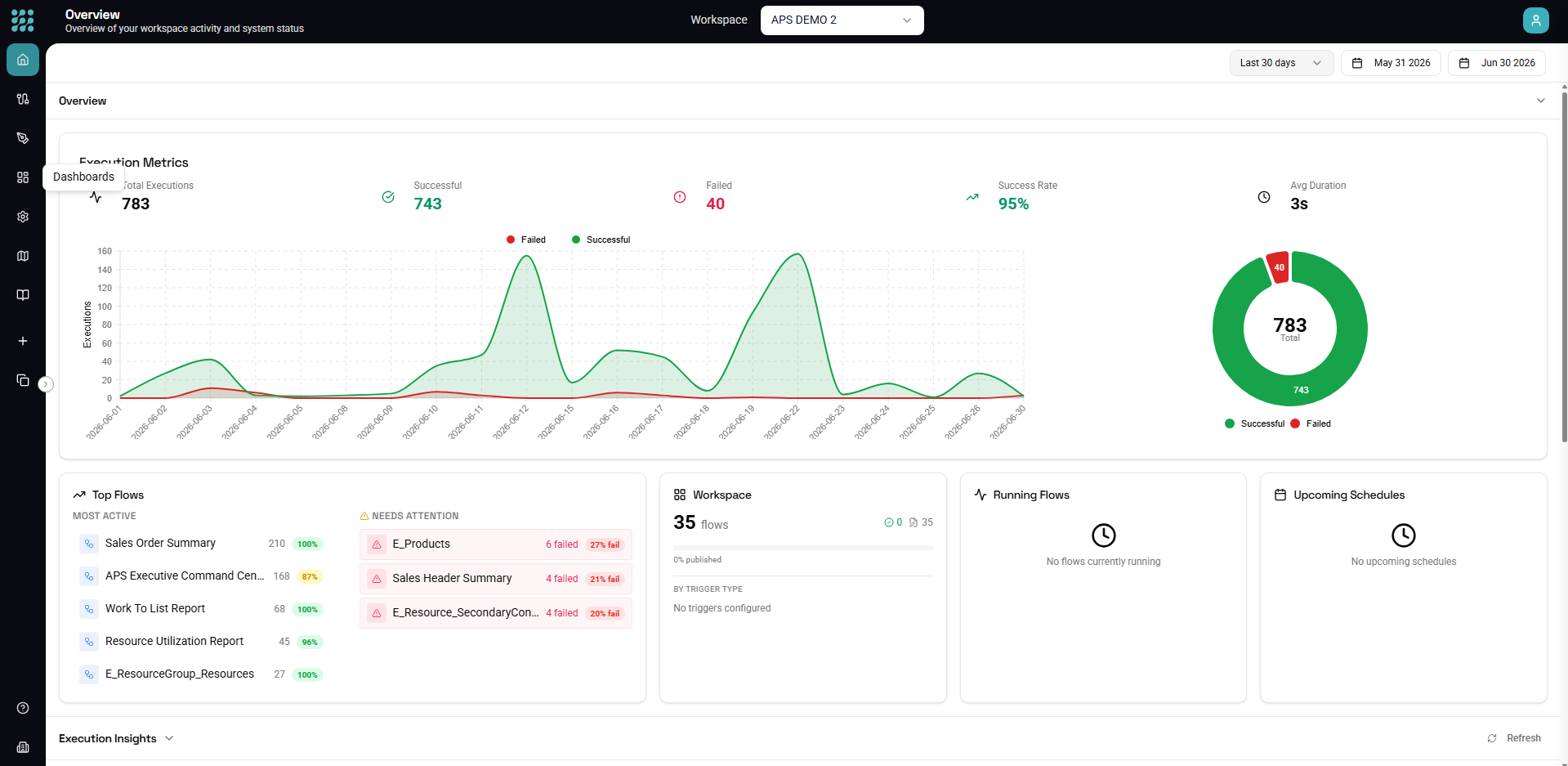
FactoryThread is a data virtualization platform for manufacturing data. You connect to your source systems — databases, ERPs, files, MES/MOM systems, and shop-floor equipment — and compose Flows that fetch, shape, and deliver that data, including writing it back into source systems. FactoryThread does this without storing your business records: data is fetched live from the source on each run and is never durably copied into FactoryThread.
It's all visual — no code required (though there's an expression language and an escape hatch when you want them).
What can you do with FactoryThread?
Connect to your systems
FactoryThread connects to the systems manufacturers actually run on:
- MES / MOM & shop floor — Siemens Opcenter, Plex, Acumatica ERP, i3X, and OPC UA servers (PLCs, SCADA, MES)
- Databases — SQL Server, PostgreSQL, Amazon Redshift, IBM DB2, Microsoft Access, InfluxDB
- Files — Excel, CSV, and TXT via Upload, Local Files, or SharePoint
- APIs — REST, OData, and SOAP services
- AI — OpenAI
- Streaming — MQTT brokers
Once connected, FactoryThread discovers the entities (tables, endpoints, sheets, tags) you can use — see Connections.
Build Flows — by hand or with the Assistant
The Designer is your visual canvas. Drag nodes to pull data from sources, shape it with Function nodes (filter, formula, group by, map, and more), and deliver it to a response, a dashboard, or back into a source system.
Or describe what you want in plain language and let the Assistant build the Flow for you.
Automate with triggers
A Flow can run several ways — and a Flow doesn't even need a trigger; one with no trigger simply runs on demand when you click Run or call it via API.
- On demand — run manually from the UI or via API
- Schedule — run on a cron schedule
- HTTP — expose the Flow as a REST endpoint
- Message — run when a message arrives on an MQTT topic
- From Flow — call one Flow from another for modular, reusable pipelines
Monitor everything
Insights records every run — what triggered it, when, pass/fail, duration, and (on failure) the error details — so you can see and debug your data operations without FactoryThread retaining the data that flowed through.
Key concepts
- Workspace — an isolated environment that owns a set of connections, flows, and members. Use separate workspaces for different projects, teams, or environments.
- Connection — a configured, credential-bearing link to one source system. It captures how to reach the system, never the data itself.
- Entity — a schema-bound handle to a specific set of data inside a connection (a table, a sheet, an endpoint, an OPC UA tag). Flows reference entities, not connections directly.
- Flow — the central unit of work: a graph of nodes that fetches, shapes, and delivers data. You publish a Flow to run it in production.
- Dashboard — a Flow's rendered charts and KPIs, which can be shared as a view-only surface without exposing the underlying Flow.
Getting help
- In-app help — press ? anywhere in the app for contextual articles and search.
- Guided tours — step-by-step walkthroughs from the help panel.
- This documentation — comprehensive guides and reference for every feature.
System requirements
FactoryThread runs in modern browsers — Chrome (recommended), Firefox, Safari, and Edge. Use a screen resolution of 1280×720 or higher.
Next steps
- Quick Start — build your first Flow in a few minutes
- Connections Overview — connect to your systems
- Designer Overview — master the visual builder
- Assistant — let AI draft a Flow from a description