Interactive Guides
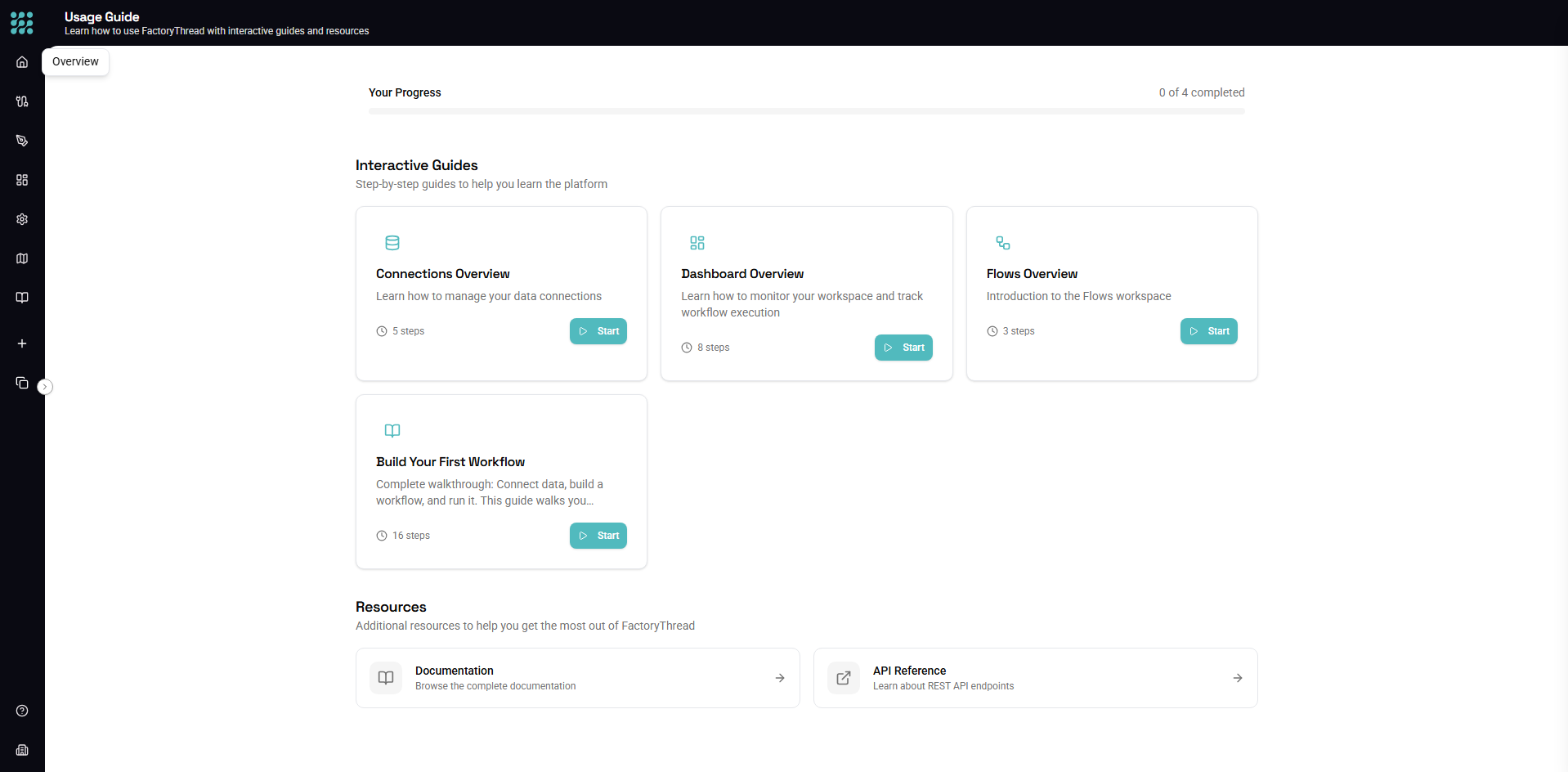
FactoryThread includes interactive guides that walk you through key features step by step. Guides highlight UI elements and explain how to use them, making it easy to learn while doing.
Available Guides
Designer Guide
What you'll learn:
- Navigating the Designer interface
- Adding nodes to the canvas
- Connecting nodes to create workflows
- Configuring node settings
- Previewing your data
When to take it: Take this guide when you first start using the Designer, or anytime you want a refresher on the basics.
Connections Guide
What you'll learn:
- Understanding the Connections page
- Creating a new connection
- Testing connection health
- Discovering entities
- Managing connections
When to take it: Take this guide before setting up your first data source.
Dashboard Guide
What you'll learn:
- Monitoring your workspace at a glance
- Understanding execution statistics
- Viewing recent workflow executions
- Identifying failed executions
When to take it: Take this guide to understand how to monitor your workspace.
Insights Guide
What you'll learn:
- Reading the Insights page
- Filtering executions
- Viewing execution details
- Understanding status indicators
- Debugging failed executions
When to take it: Take this guide after you've run a few workflows and want to understand monitoring.
First Workflow Guide
What you'll learn:
- Creating your first data connection
- Adding entities (tables/files) from your connection
- Building a workflow in the Designer
- Adding transformations to process your data
- Previewing and saving your workflow
When to take it: This is the ideal guide for new users who want a comprehensive walkthrough of building a complete workflow from scratch. It covers the entire process from connecting to data through to running your first workflow.
Starting a Guide
From the Usage Guide Page
- Click Usage Guide in the sidebar (under Resources)
- Browse available guides
- Click Start on any guide
From the Help Panel
- Press ? to open help
- Some articles link to related guides
- Click Start Interactive Guide to begin
First-Time Prompt
When you first use FactoryThread, you'll see a "Show me around?" prompt. If you accept, you'll be taken to the Guides page to choose which guide to start with.
If you dismiss the prompt, you can always access guides later from the Usage Guide page in the sidebar.
During a Guide
Guide Controls
When a guide is active:
- Next - Move to the next step
- Back - Return to the previous step
- Skip - End the guide early
Highlighted Elements
Guides highlight specific UI elements:
- The highlighted area shows what to focus on
- The rest of the screen is dimmed
- Some steps allow you to click the highlighted element
Guide Tooltips
Each step includes:
- A title describing what you're seeing
- Explanation of the feature
- Instructions for what to do
After Completing a Guide
Guide Progress
Your guide progress is saved:
- Completed guides are marked as done
- You won't see automatic prompts for completed guides
- You can always replay guides from the Usage Guide page
Next Steps
After completing a guide:
- Try the feature yourself
- Refer to documentation for more details
- Take related guides to learn more
Tips for Learning
Take Guides Early
New to FactoryThread? Take guides in this order:
- First Workflow Guide - The best starting point for new users
- Connections Guide
- Designer Guide
- Dashboard Guide
- Insights Guide
Follow Along
Guides are most effective when you:
- Read each step carefully
- Perform the suggested actions
- Experiment after completing the guide
Revisit When Needed
Don't remember how something works?
- Guides are always available
- Replay any guide from the Usage Guide page
- Supplement with help articles
Next Steps
- Quick Start - Build your first workflow
- Designer Overview - Detailed Designer guide
- Introduction - Platform overview