CallFlow Node
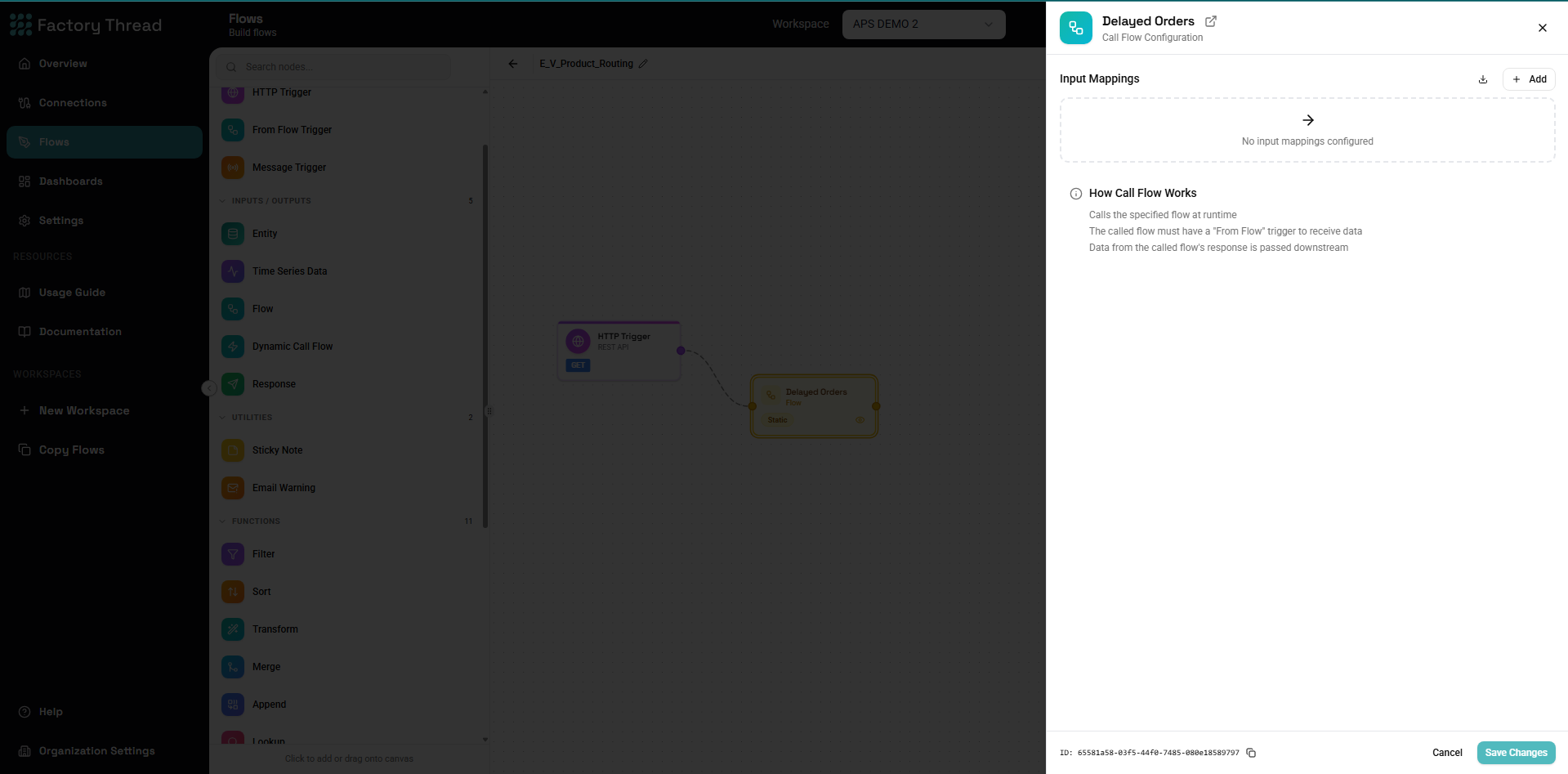
The CallFlow node invokes another flow as a sub-flow, passing data and receiving results. It enables modular workflow design, allowing you to reuse common logic across multiple workflows.
How It Works
The CallFlow node:
- Takes input data from the current flow
- Passes parameters to the target sub-flow
- Executes the sub-flow (which has a FromFlow trigger)
- Receives the response data
- Continues processing in the parent flow
Adding a CallFlow
- Drag CallFlow from the Inputs section of the Element Panel
- Connect it to your data flow
- Click the CallFlow node to configure
- Select the target flow and map parameters
Configuration Panel
Target Flow Selection
Select Flow: Choose which flow to invoke. Only flows with FromFlow triggers are available as targets.
Requirements for target flow:
- Must have a FromFlow trigger (not HTTP or Schedule)
- Must be saved (not necessarily deployed)
- Its FromFlow trigger declares the input parameters this node can pass — a flow that declares none is callable, it just takes no input
Input Mode
Choose how data is passed to the sub-flow:
Single Row Mode
Calls the sub-flow once for each row:
How it works:
- Each input row triggers one sub-flow execution
- Row fields are available as parameters
- Sub-flow runs N times for N input rows
Use when:
- Processing individual records
- Each item needs separate processing
- Results should map back to input rows
Example:
10 orders → CallFlow → 10 sub-flow executions → 10 results
Batch Mode
Calls the sub-flow once with all data:
How it works:
- All input rows passed as a single parameter
- Sub-flow runs once
- Returns aggregated results
Use when:
- Bulk processing
- Aggregated operations
- Performance optimization
Example:
10 orders → CallFlow → 1 sub-flow execution → bulk results
Parameter Mapping
The called flow owns the call contract. It declares its input parameters — their names, their types, and whether each is required — on its FromFlow trigger. The CallFlow node does not re-declare them. It reads them, shows each one read-only, and asks only one question per parameter: which upstream field feeds it?
Configuration:
| Sub-Flow Parameter | Declared by the sub-flow | Source field (you choose) |
|---|---|---|
| customerId | text, required | CustomerID |
| orderDate | datetime | OrderDate |
| tags | list(text) | Labels |
This is why there is one declaration and not two. Previously the caller re-declared each parameter's type, nothing checked it against the called flow, and the publisher built the call from the caller's declaration — so a sub-flow that declared tags as a list of text could still be called with a list of objects. The declaration was decorative. Now the publisher resolves every binding from the called flow's declaration, and:
- Publishing fails if a mapping names a parameter the called flow does not declare. The error names the parameters it does declare.
- The source-field picker only offers compatible fields. A
list(number)parameter will not offer a list-of-text field. - Changing the sub-flow's parameters marks its callers stale, so you find out at author time rather than at runtime.
To add or retype a parameter, edit the sub-flow's FromFlow trigger — that is the only place it is declared.
Dynamic Call Flow — the unenforced exception
A Dynamic Call Flow node picks its target flow at runtime, from a field value in the data (the flow name field). Everything above assumes the called flow is known while you are authoring — and for a Dynamic Call Flow it is not.
So the contract cannot be enforced there, and it isn't:
| CallFlow (static) | Dynamic Call Flow | |
|---|---|---|
| Target flow | Chosen at design time | Resolved at runtime from a field |
| Parameter names | Read from the called flow, read-only | Free-form — you type them |
| Parameter types | Declared by the called flow | Not declared anywhere |
| Unknown parameter | Publishing fails | Not checked |
| Source-field picker | Filtered by the declared type | Unfiltered |
This asymmetry is deliberate, not an oversight. A Dynamic Call Flow is the designated escape hatch for "the target isn't knowable yet" — and since the target isn't knowable, nothing downstream of it can be checked either. If you want the parameter names and types checked, use a static CallFlow.
A misspelled parameter name on a Dynamic Call Flow is silently passed through and the sub-flow simply never receives it. Verify the names against the target flow's FromFlow trigger by hand.
Response Handling
Configure how sub-flow results are integrated:
Structured Response Format
CallFlow returns a structured response with status and results:
Success Response:
{
  "status": true,
  "response": [
    { "field1": "value1", "field2": "value2" },
    { "field1": "value3", "field2": "value4" }
  ]
}
Failure Response:
{
  "status": false,
  "response": "Flow 'ProcessOrder' returned no data"
}
Output Fields:
| Field | Type | Description |
|---|---|---|
status | Boolean | true if sub-flow executed successfully, false otherwise |
response | Array or String | Array of result rows on success, error message on failure |
Tip: Use a Condition node after CallFlow to check
${status}before processing${response}data. This ensures robust error handling in your parent flow.
Include Response Fields
Select which fields from the sub-flow response to include:
All fields: Sub-flow output fields are added to the result.
Selected fields: Choose specific fields to include.
Field Naming
Prevent field name conflicts:
- Prefix - Add prefix like
subflow_ - Rename - Map individual field names
- Replace - Sub-flow fields replace input fields
Synchronous vs Asynchronous
Synchronous Execution (Default)
Flow waits for sub-flow to complete:
Parent: [Node A] → [CallFlow] → [Node B]
                        ↓
                   Waits for result
                        ↓
                   Continues to B
Use when:
- You need the sub-flow result to continue
- Subsequent processing depends on output
- Real-time response required
Asynchronous Execution
Flow continues without waiting:
Parent: [Node A] → [CallFlow Async] → [Node B]
                        ↓
                   Queues sub-flow
                        ↓
              Immediately continues to B
Use when:
- Sub-flow is fire-and-forget
- No result needed
- Performance is priority
Note: Async mode doesn't return data to parent flow.
Common Use Cases
Data Enrichment
Parent flow: Customer orders Sub-flow: Get customer credit rating
[Orders] → [CallFlow: GetCreditRating] → [Continue with enriched orders]
           Params: customerId = {CustomerID}
           Returns: creditScore, creditLimit, rating
Validation Logic
Parent flow: Process transactions Sub-flow: Validate transaction
[Transactions] → [CallFlow: ValidateTransaction] → [Condition: Valid?]
                 Params: amount, type, account
                 Returns: isValid, validationMessages
Calculation Services
Parent flow: Invoice processing Sub-flow: Calculate tax
[InvoiceLines] → [CallFlow: CalculateTax] → [Continue]
                 Params: amount, state, productType
                 Returns: taxRate, taxAmount, totalWithTax
Complex Transformations
Parent flow: Reporting Sub-flow: Aggregate metrics
[Raw Data] → [CallFlow: ComputeMetrics (batch)] → [Report Output]
             Params: all data as array
             Returns: aggregated metrics
External System Integration
Parent flow: Order processing Sub-flow: Check inventory (encapsulates external API)
[Orders] → [CallFlow: CheckInventory] → [Continue with availability]
           Params: sku, quantity
           Returns: available, warehouse, estimatedDate
Designing Sub-Flows
Sub-Flow Structure
A well-designed sub-flow has:
- FromFlow Trigger - Defines input parameters
- Processing Logic - Transforms, lookups, calculations
- Response Node - Returns output data
[FromFlow: params] → [Processing] → [Response]
Input Parameters
Define clear, typed parameters:
Example sub-flow inputs:
| Parameter | Type | Required | Default |
|---|---|---|---|
| customerId | String | Yes | - |
| includeHistory | Boolean | No | false |
| maxRecords | Number | No | 100 |
Output Schema
Return consistent, well-defined output:
Example sub-flow outputs:
| Field | Type | Description |
|---|---|---|
| success | Boolean | Operation result |
| data | Object | Requested data |
| errorMessage | String | Error if failed |
Error Handling
Sub-flows should handle errors gracefully:
- Catch potential errors
- Return error information in response
- Let parent flow decide how to proceed
Response: { success: false, errorCode: "NOT_FOUND", message: "Customer not found" }
Row-by-Row Processing
For single row mode, each input row is processed:
Parent flow data:
| OrderID | CustomerID | Amount |
|---|---|---|
| O001 | C100 | 500 |
| O002 | C101 | 750 |
| O003 | C100 | 200 |
CallFlow executes 3 times:
- With CustomerID=C100
- With CustomerID=C101
- With CustomerID=C100
Results merged back:
| OrderID | CustomerID | Amount | CreditScore | Rating |
|---|---|---|---|---|
| O001 | C100 | 500 | 750 | A |
| O002 | C101 | 750 | 680 | B |
| O003 | C100 | 200 | 750 | A |
Batch Processing
For batch mode, all data passed at once:
Parent flow: 100 line items
CallFlow (batch mode):
- Sub-flow receives array of 100 items
- Processes all items together
- Returns aggregate or individual results
Performance benefit: 1 call instead of 100 calls
Nesting Depth
CallFlow nodes can be nested:
Flow A → CallFlow B → CallFlow C → CallFlow D
Considerations:
- Each level adds latency
- Debugging becomes harder
- Keep nesting shallow (2-3 levels max)
Best practices:
- Flatten when possible
- Use batch mode to reduce calls
- Monitor execution time
Error Handling
Sub-Flow Errors
When a sub-flow fails:
Default behavior:
- Parent flow fails if sub-flow fails
- Error propagates up
Error response handling:
- Sub-flow returns error in response
- Parent checks and handles
- Parent continues or branches
Example:
[CallFlow] → [Condition: success = true?]
                ├── True → [Continue processing]
                └── False → [Error handling]
Timeout Handling
Configure sub-flow timeouts:
Timeout options:
- Default timeout (from system settings)
- Custom timeout per CallFlow
On timeout:
- Sub-flow execution cancelled
- Error returned to parent
- Handle in parent flow
Performance Optimization
Minimize Calls
Before: 1000 calls for 1000 rows
[1000 rows] → [CallFlow: Single Row Mode]
After: 1 call for 1000 rows
[1000 rows] → [CallFlow: Batch Mode]
Cache When Possible
If sub-flow returns same result for same input:
- Consider caching at sub-flow level
- Or pre-fetch and use Lookup instead of CallFlow
Parallel Execution
Multiple CallFlow nodes can run in parallel:
[Data] → [CallFlow A] ─┐
                        ├─ [Merge/Append]
       → [CallFlow B] ─┘
Both sub-flows execute simultaneously.
Troubleshooting
Sub-Flow Not Found
Possible causes:
- Target flow deleted
- Flow name changed
- Wrong workspace
Solutions:
- Verify flow exists
- Reselect target flow
- Check workspace context
Parameter Mismatch
"Flow X does not declare an input parameter named Y" on publish.
The mapping names a parameter the called flow does not declare — usually because the sub-flow's FromFlow trigger renamed or removed it after the caller was authored. The error lists the parameters the sub-flow does declare.
Solutions:
- Declare the parameter on the sub-flow's FromFlow trigger, or
- Reopen the CallFlow node and re-map to a parameter it does declare. The panel flags mappings the callee no longer declares and drops them when you save.
No compatible source field offered.
The picker only offers fields whose type matches the parameter's declared type — a list(number) parameter accepts a list of numbers, not a list of text, and not a bare number. Either change the parameter's declared type on the sub-flow, or transform the field upstream (with a Map node) into the type the sub-flow asks for. Types are never silently coerced at runtime.
Empty Results
Possible causes:
- Sub-flow not returning data
- Response node not configured
- Data filtered out in sub-flow
Solutions:
- Test sub-flow independently
- Check Response node configuration
- Preview sub-flow output
Performance Issues
Symptoms: Slow execution with many calls
Solutions:
- Switch to batch mode
- Cache repeated lookups
- Optimize sub-flow logic
- Consider denormalizing
Examples
Customer Enrichment Sub-Flow
Parent: Order Processing
[Orders] → [CallFlow: EnrichCustomer] → [Continue]
           Params: customerId = {CustomerID}
Sub-Flow: EnrichCustomer
[FromFlow: customerId]
  → [Entity: Customers WHERE ID = customerId]
  → [Lookup: CustomerSegments]
  → [Transform: add calculated fields]
  → [Response: customer details]
Tax Calculation Service
Parent: Invoice Creation
[LineItems] → [CallFlow: CalculateTax (batch)] → [Append tax to lines]
              Params: items = all rows
              Returns: items with tax amounts
Sub-Flow: CalculateTax
[FromFlow: items array]
  → [Lookup: TaxRates by state and productType]
  → [Transform: calculate tax per item]
  → [Response: items with taxAmount, taxRate]
Inventory Check
Parent: Order Fulfillment
[OrderLines] → [CallFlow: CheckInventory] → [Condition: In Stock?]
               Params: sku, quantity
               Returns: available, warehouse
Sub-Flow: CheckInventory
[FromFlow: sku, quantity]
  → [Entity: Inventory WHERE SKU = sku]
  → [Transform: available = QuantityOnHand >= quantity]
  → [Response: available, warehouse, quantityOnHand]
Next Steps
- FromFlow Trigger - Create sub-flows
- Response Node - Return data from sub-flows
- Entity Node - Data source for sub-flows
- Building Flows - Complete workflow guide