Teams
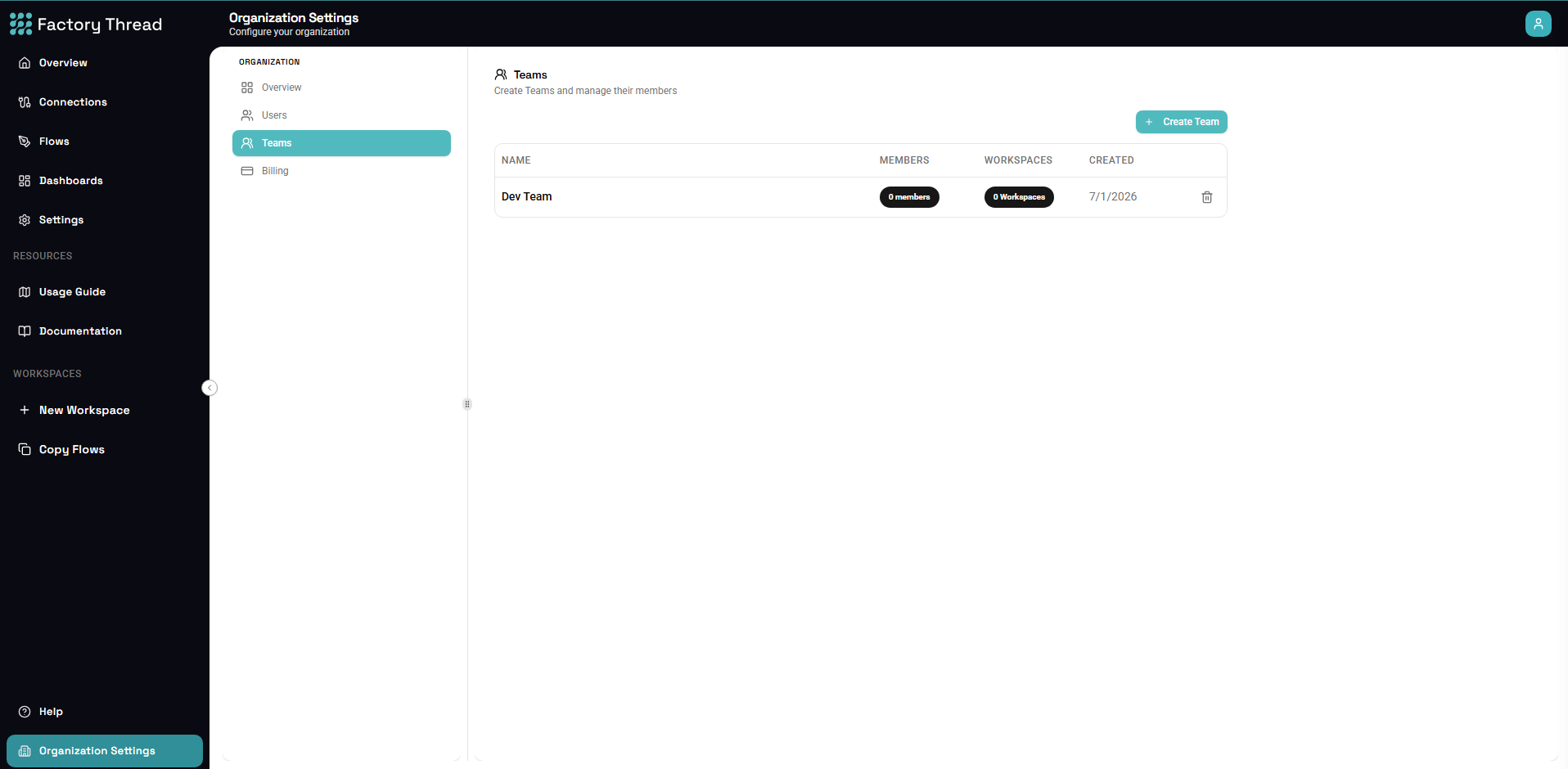
A Team is a named group of users in your Organization. Instead of granting access to people one at a time, you add them to a Team and grant the Team — every member inherits the access.
Teams are managed under Organization Settings → Teams. Managing Teams requires administrator rights.
Creating and managing a Team
- Create a Team and give it a name.
- Rename or delete it later.
- Manage members — add or remove people from your Organization.
A user can belong to more than one Team.
Granting access to a Team
A Team becomes useful when you grant it access to a resource:
- Workspace access — grant a Team access to a Workspace as member or guest (the same roles as for an individual). You can do this from the Team, or from Workspace Settings → Members.
- Dashboard access — share a dashboard with a Team so the whole group can view it (see Publishing & Sharing Dashboards).
Everyone on the Team gets that access; remove them from the Team and it goes away.
Teams vs. individual users
You can always grant access to an individual user directly. Reach for a Team when several people need the same access and you want to manage it in one place — for example a "Production Engineers" team that should see the same Workspaces and dashboards.
Next steps
- Sharing & Access Control — how roles and grants fit together
- Users — invite people to your Organization first