Call Action Node
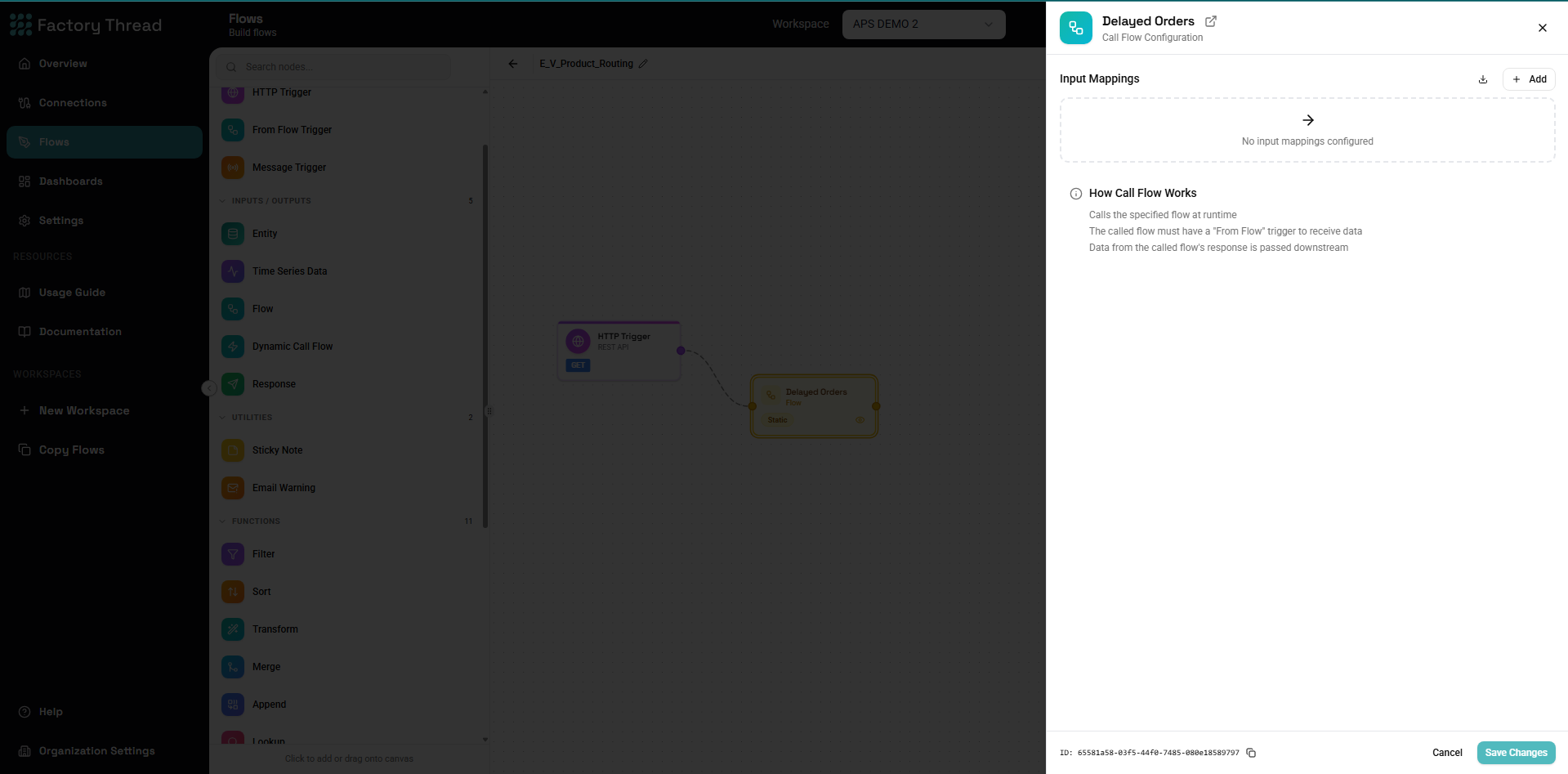
The Call Action node invokes another action as a called action, passing data and receiving results. It enables modular workflow design, allowing you to reuse common logic across multiple workflows.
How It Works
The Call Action node:
- Takes input data from the current action
- Passes parameters to the target called action
- Executes the called action (which has a From Action trigger)
- Receives the response data
- Continues processing in the parent action
Adding a Call Action
- Drag Call Action from the Inputs section of the Element Panel
- Connect it to your data flow
- Click the Call Action node to configure
- Select the target action and map parameters
Configuration Panel
Target Action Selection
Select Action: Choose which action to invoke. Only actions with From Action triggers are available as targets.
Requirements for target action:
- Must have a From Action trigger (not HTTP or Schedule)
- Must be saved (not necessarily deployed)
- Its From Action trigger declares the input parameters this node can pass — an action that declares none is callable, it just takes no input
Input Mode
Choose how data is passed to the called action:
Single Row Mode
Calls the called action once for each row:
How it works:
- Each input row triggers one called action execution
- Row fields are available as parameters
- Sub-action runs N times for N input rows
Use when:
- Processing individual records
- Each item needs separate processing
- Results should map back to input rows
Example:
10 orders → Call Action → 10 called action executions → 10 results
Batch Mode
Calls the called action once with all data:
How it works:
- All input rows passed as a single parameter
- Sub-action runs once
- Returns aggregated results
Use when:
- Bulk processing
- Aggregated operations
- Performance optimization
Example:
10 orders → Call Action → 1 called action execution → bulk results
Parameter Mapping
The called action owns the call contract. It declares its input parameters — their names, their types, and whether each is required — on its From Action trigger. The Call Action node does not re-declare them. It reads them, shows each one read-only, and asks only one question per parameter: which upstream field feeds it?
Configuration:
| Sub-Action Parameter | Declared by the called action | Source field (you choose) |
|---|---|---|
| customerId | text, required | CustomerID |
| orderDate | datetime | OrderDate |
| tags | list(text) | Labels |
This is why there is one declaration and not two. Previously the caller re-declared each parameter's type, nothing checked it against the called action, and the publisher built the call from the caller's declaration — so a called action that declared tags as a list of text could still be called with a list of objects. The declaration was decorative. Now the publisher resolves every binding from the called action's declaration, and:
- Publishing fails if a mapping names a parameter the called action does not declare. The error names the parameters it does declare.
- The source-field picker only offers compatible fields. A
list(number)parameter will not offer a list-of-text field. - Changing the called action's parameters marks its callers stale, so you find out at author time rather than at runtime.
To add or retype a parameter, edit the called action's From Action trigger — that is the only place it is declared.
Dynamic Call Action — the unenforced exception
A Dynamic Call Action node picks its target action at runtime, from a field value in the data (the action name field). Everything above assumes the called action is known while you are authoring — and for a Dynamic Call Action it is not.
So the contract cannot be enforced there, and it isn't:
| Call Action (static) | Dynamic Call Action | |
|---|---|---|
| Target action | Chosen at design time | Resolved at runtime from a field |
| Parameter names | Read from the called action, read-only | Free-form — you type them |
| Parameter types | Declared by the called action | Not declared anywhere |
| Unknown parameter | Publishing fails | Not checked |
| Source-field picker | Filtered by the declared type | Unfiltered |
This asymmetry is deliberate, not an oversight. A Dynamic Call Action is the designated escape hatch for "the target isn't knowable yet" — and since the target isn't knowable, nothing downstream of it can be checked either. If you want the parameter names and types checked, use a static Call Action.
A misspelled parameter name on a Dynamic Call Action is silently passed through and the called action simply never receives it. Verify the names against the target action's From Action trigger by hand.
Response Handling
Configure how called action results are integrated:
Structured Response Format
Call Action returns a structured response with status and results:
Success Response:
{
  "status": true,
  "response": [
    { "field1": "value1", "field2": "value2" },
    { "field1": "value3", "field2": "value4" }
  ]
}
Failure Response:
{
  "status": false,
  "response": "Child action 'ProcessOrder' returned no data"
}
Output Fields:
| Field | Type | Description |
|---|---|---|
status | Boolean | true if called action executed successfully, false otherwise |
response | Array or String | Array of result rows on success, error message on failure |
Tip: Use a Condition node after Call Action to check
${status}before processing${response}data. This ensures robust error handling in your parent action.
Include Response Fields
Select which fields from the called action response to include:
All fields: Sub-action output fields are added to the result.
Selected fields: Choose specific fields to include.
Field Naming
Prevent field name conflicts:
- Prefix - Add prefix like
subflow_ - Rename - Map individual field names
- Replace - Sub-action fields replace input fields
Synchronous vs Asynchronous
Synchronous Execution (Default)
Action waits for called action to complete:
Parent: [Node A] → [Call Action] → [Node B]
                        ↓
                   Waits for result
                        ↓
                   Continues to B
Use when:
- You need the called action result to continue
- Subsequent processing depends on output
- Real-time response required
Asynchronous Execution
Action continues without waiting:
Parent: [Node A] → [Call Action Async] → [Node B]
                        ↓
                   Queues called action
                        ↓
              Immediately continues to B
Use when:
- Sub-action is fire-and-forget
- No result needed
- Performance is priority
Note: Async mode doesn't return data to parent action.
Common Use Cases
Data Enrichment
Parent action: Customer orders Sub-action: Get customer credit rating
[Orders] → [Call Action: GetCreditRating] → [Continue with enriched orders]
           Params: customerId = {CustomerID}
           Returns: creditScore, creditLimit, rating
Validation Logic
Parent action: Process transactions Sub-action: Validate transaction
[Transactions] → [Call Action: ValidateTransaction] → [Condition: Valid?]
                 Params: amount, type, account
                 Returns: isValid, validationMessages
Calculation Services
Parent action: Invoice processing Sub-action: Calculate tax
[InvoiceLines] → [Call Action: CalculateTax] → [Continue]
                 Params: amount, state, productType
                 Returns: taxRate, taxAmount, totalWithTax
Complex Transformations
Parent action: Reporting Sub-action: Aggregate metrics
[Raw Data] → [Call Action: ComputeMetrics (batch)] → [Report Output]
             Params: all data as array
             Returns: aggregated metrics
External System Integration
Parent action: Order processing Sub-action: Check inventory (encapsulates external API)
[Orders] → [Call Action: CheckInventory] → [Continue with availability]
           Params: sku, quantity
           Returns: available, warehouse, estimatedDate
Designing Sub-Actions
Sub-Action Structure
A well-designed called action has:
- From Action Trigger - Defines input parameters
- Processing Logic - Transforms, lookups, calculations
- Response Node - Returns output data
[From Action: params] → [Processing] → [Response]
Input Parameters
Define clear, typed parameters:
Example called action inputs:
| Parameter | Type | Required | Default |
|---|---|---|---|
| customerId | String | Yes | - |
| includeHistory | Boolean | No | false |
| maxRecords | Number | No | 100 |
Output Schema
Return consistent, well-defined output:
Example called action outputs:
| Field | Type | Description |
|---|---|---|
| success | Boolean | Operation result |
| data | Object | Requested data |
| errorMessage | String | Error if failed |
Error Handling
Sub-actions should handle errors gracefully:
- Catch potential errors
- Return error information in response
- Let parent action decide how to proceed
Response: { success: false, errorCode: "NOT_FOUND", message: "Customer not found" }
Row-by-Row Processing
For single row mode, each input row is processed:
Parent action data:
| OrderID | CustomerID | Amount |
|---|---|---|
| O001 | C100 | 500 |
| O002 | C101 | 750 |
| O003 | C100 | 200 |
Call Action executes 3 times:
- With CustomerID=C100
- With CustomerID=C101
- With CustomerID=C100
Results merged back:
| OrderID | CustomerID | Amount | CreditScore | Rating |
|---|---|---|---|---|
| O001 | C100 | 500 | 750 | A |
| O002 | C101 | 750 | 680 | B |
| O003 | C100 | 200 | 750 | A |
Batch Processing
For batch mode, all data passed at once:
Parent action: 100 line items
Call Action (batch mode):
- Sub-action receives array of 100 items
- Processes all items together
- Returns aggregate or individual results
Performance benefit: 1 call instead of 100 calls
Nesting Depth
Call Action nodes can be nested:
Action A → Call Action B → Call Action C → Call Action D
Considerations:
- Each level adds latency
- Debugging becomes harder
- Keep nesting shallow (2-3 levels max)
Best practices:
- Flatten when possible
- Use batch mode to reduce calls
- Monitor execution time
Error Handling
Sub-Action Errors
When a called action fails:
Default behavior:
- Parent action fails if called action fails
- Error propagates up
Error response handling:
- Sub-action returns error in response
- Parent checks and handles
- Parent continues or branches
Example:
[Call Action] → [Condition: success = true?]
                ├── True → [Continue processing]
                └── False → [Error handling]
Timeout Handling
Configure called action timeouts:
Timeout options:
- Default timeout (from system settings)
- Custom timeout per Call Action
On timeout:
- Sub-action execution cancelled
- Error returned to parent
- Handle in parent action
Performance Optimization
Minimize Calls
Before: 1000 calls for 1000 rows
[1000 rows] → [Call Action: Single Row Mode]
After: 1 call for 1000 rows
[1000 rows] → [Call Action: Batch Mode]
Cache When Possible
If called action returns same result for same input:
- Consider caching at called action level
- Or pre-fetch and use Lookup instead of Call Action
Parallel Execution
Multiple Call Action nodes can run in parallel:
[Data] → [Call Action A] ─┐
                        ├─ [Merge/Append]
       → [Call Action B] ─┘
Both sub-actions execute simultaneously.
Troubleshooting
Sub-Action Not Found
Possible causes:
- Target action deleted
- Action name changed
- Wrong workspace
Solutions:
- Verify action exists
- Reselect target action
- Check workspace context
Parameter Mismatch
"Action X does not declare an input parameter named Y" on publish.
The mapping names a parameter the called action does not declare — usually because the called action's From Action trigger renamed or removed it after the caller was authored. The error lists the parameters the called action does declare.
Solutions:
- Declare the parameter on the called action's From Action trigger, or
- Reopen the Call Action node and re-map to a parameter it does declare. The panel flags mappings the callee no longer declares and drops them when you save.
No compatible source field offered.
The picker only offers fields whose type matches the parameter's declared type — a list(number) parameter accepts a list of numbers, not a list of text, and not a bare number. Either change the parameter's declared type on the called action, or transform the field upstream (with a Map node) into the type the called action asks for. Types are never silently coerced at runtime.
Empty Results
Possible causes:
- Sub-action not returning data
- Response node not configured
- Data filtered out in called action
Solutions:
- Test called action independently
- Check Response node configuration
- Preview called action output
Performance Issues
Symptoms: Slow execution with many calls
Solutions:
- Switch to batch mode
- Cache repeated lookups
- Optimize called action logic
- Consider denormalizing
Examples
Customer Enrichment Sub-Action
Parent: Order Processing
[Orders] → [Call Action: EnrichCustomer] → [Continue]
           Params: customerId = {CustomerID}
Sub-Action: EnrichCustomer
[From Action: customerId]
  → [Entity: Customers WHERE ID = customerId]
  → [Lookup: CustomerSegments]
  → [Transform: add calculated fields]
  → [Response: customer details]
Tax Calculation Service
Parent: Invoice Creation
[LineItems] → [Call Action: CalculateTax (batch)] → [Append tax to lines]
              Params: items = all rows
              Returns: items with tax amounts
Sub-Action: CalculateTax
[From Action: items array]
  → [Lookup: TaxRates by state and productType]
  → [Transform: calculate tax per item]
  → [Response: items with taxAmount, taxRate]
Inventory Check
Parent: Order Fulfillment
[OrderLines] → [Call Action: CheckInventory] → [Condition: In Stock?]
               Params: sku, quantity
               Returns: available, warehouse
Sub-Action: CheckInventory
[From Action: sku, quantity]
  → [Entity: Inventory WHERE SKU = sku]
  → [Transform: available = QuantityOnHand >= quantity]
  → [Response: available, warehouse, quantityOnHand]
Next Steps
- From Action Trigger - Create sub-actions
- Response Node - Return data from sub-actions
- Entity Node - Data source for sub-actions
- Building Actions - Complete workflow guide