Time Series Node
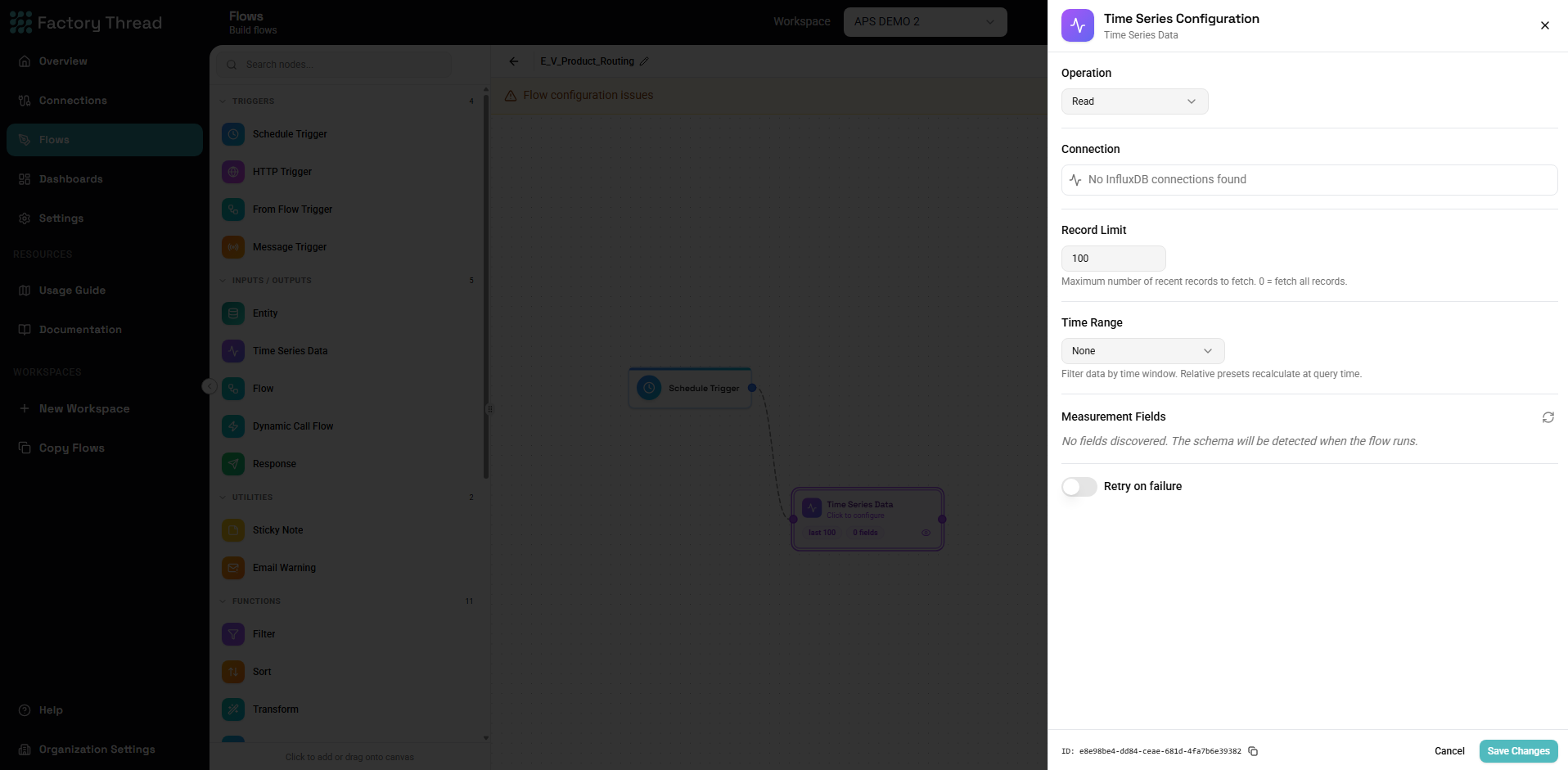
The Time Series node reads from — or writes to — an InfluxDB connection. Unlike a regular Data Source, its configuration lives directly on the node rather than on a saved entity.
Setup
- Add a Time Series Data node from the Inputs / Outputs section.
- Choose an InfluxDB connection.
- Enter the measurement to read or write.
- Choose the operation — Read or Update (write).
Reading
- Read limit — the maximum number of points to return (default
100; use0to fetch all). - Time range — restrict to a window using a relative preset (last 1m / 5m / 15m / 30m / 1h / 6h / 12h / 24h / 7d / 30d) or a custom start and end. Relative presets are recalculated each time the Flow runs, so a "last 24h" read always means the most recent day.
- The node discovers the measurement's fields so you can select which to include.
Writing
InfluxDB is append-only, so the Time Series node writes new points; it does not update, delete, or clear existing data. Incoming fields are written as the point's values.
Next steps
- Database Connections — set up the InfluxDB connection
- Data Source node — read from databases, files, and APIs