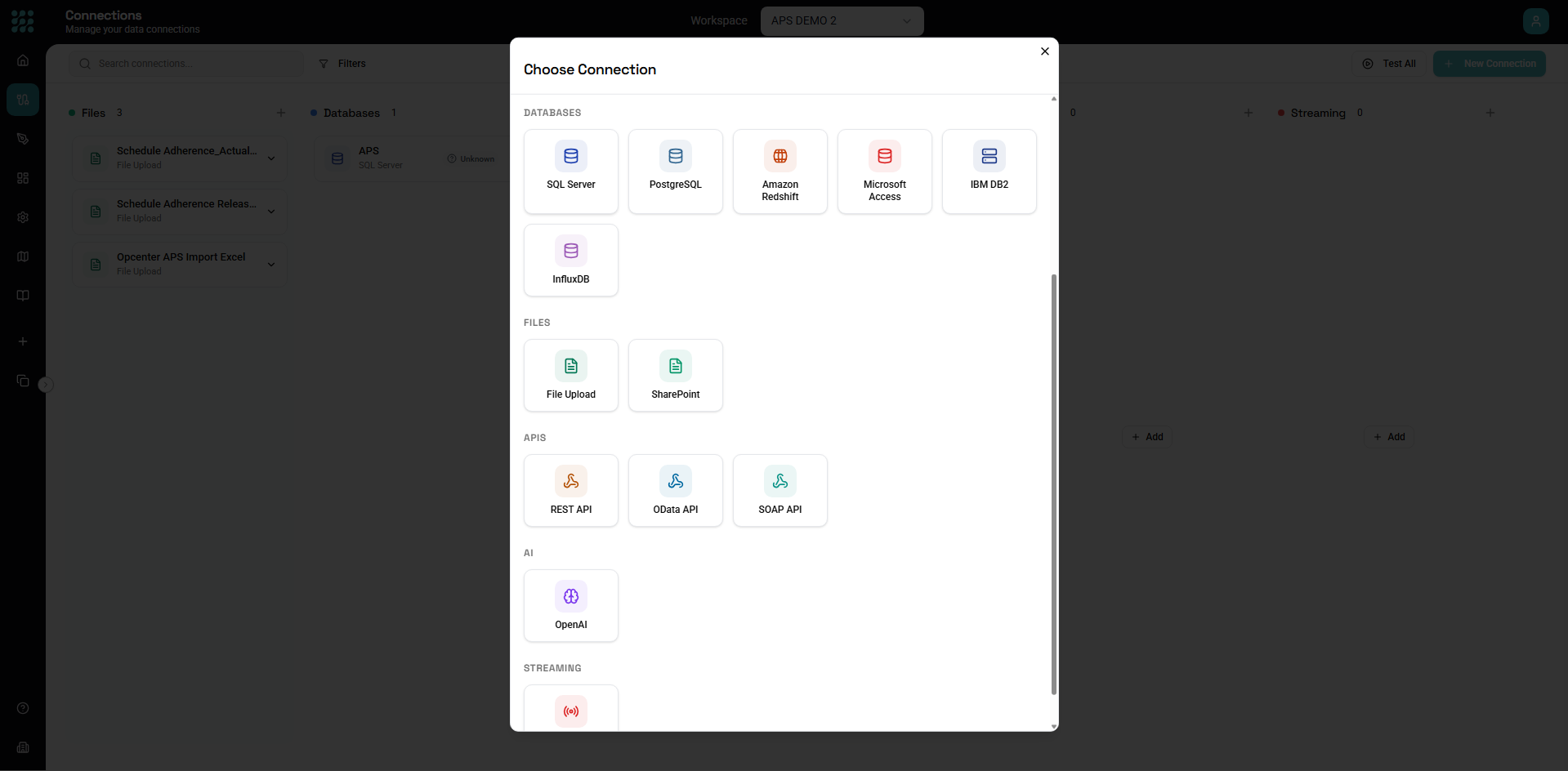
API Connections
API connections enable integration with external web services and REST APIs. They allow your workflows to read data from external systems, push updates, and orchestrate processes across multiple platforms.
Supported API Types
| Type | Description |
|---|---|
| REST API | Standard REST endpoints (GET, POST, PUT, DELETE) |
| OData | OData-compliant services |
| GraphQL | GraphQL endpoints (via REST wrapper) |
| Webhooks | Outbound webhook calls |
Creating an API Connection
- Navigate to Connections in the sidebar
- Click New Connection
- Select REST API (or specific API type)
- Configure base URL and authentication
- Test and save
Configuration
Base Settings
| Setting | Description | Example |
|---|---|---|
| Name | Display name | "CRM API" |
| Base URL | API root URL | https://api.example.com/v2 |
| Timeout | Request timeout (seconds) | 30 |
| Retry | Number of retries | 3 |
Authentication
No Authentication
For public APIs:
Authentication: None
API Key
Key passed in header or query:
Header-based:
Authentication: API Key
Header Name: X-API-Key
API Key: your-api-key-here
Query-based:
Authentication: API Key
Location: Query Parameter
Parameter Name: api_key
API Key: your-api-key-here
Basic Authentication
Username and password:
Authentication: Basic
Username: your-username
Password: your-password
Sent as: Authorization: Basic base64(username:password)
Bearer Token
Token-based auth:
Authentication: Bearer Token
Token: your-access-token
Sent as: Authorization: Bearer your-token
OAuth 2.0
OAuth flow for secure API access:
Client Credentials:
Authentication: OAuth 2.0
Grant Type: Client Credentials
Client ID: your-client-id
Client Secret: your-client-secret
Token URL: https://auth.example.com/oauth/token
Scope: read write
Authorization Code:
Authentication: OAuth 2.0
Grant Type: Authorization Code
Client ID: your-client-id
Client Secret: your-client-secret
Authorization URL: https://auth.example.com/authorize
Token URL: https://auth.example.com/token
Redirect URI: (provided by system)
Custom Headers
Additional headers for each request:
Custom Headers:
X-Organization-ID: org123
X-Request-Source: factorythread
Advanced Settings
Rate Limiting
Respect API rate limits:
Rate Limit: 100 requests per minute
Throttle: Wait when limit reached
SSL/TLS
For custom certificates:
Verify SSL: Yes
Client Certificate: (upload if required)
Proxy
Route through proxy:
Use Proxy: Yes
Proxy URL: http://proxy.company.com:8080
Proxy Auth: (if required)
Entity Discovery
API endpoints become entities:
Manual Endpoint Configuration
Define endpoints as entities:
| Entity Name | Method | Path |
|---|---|---|
| Customers | GET | /customers |
| Orders | GET | /orders |
| CreateOrder | POST | /orders |
| UpdateCustomer | PUT | /customers/{id} |
Auto-Discovery
Some APIs support discovery:
- OpenAPI/Swagger specification
- OData metadata
- WSDL for SOAP
From OpenAPI:
- Provide OpenAPI spec URL
- Click Discover
- Endpoints imported as entities
Entity Schema
Define response schema:
| Field | Type | Path |
|---|---|---|
| id | String | $.id |
| name | String | $.name |
| String | $.email | |
| created | DateTime | $.createdAt |
Using API Entities
GET Requests (Reading Data)
Entity configuration:
Connection: CRM API
Entity: Customers (GET /customers)
Query parameters:
status: active
limit: 100
page: {pageNumber}
Result: Array of customer objects
POST Requests (Creating Data)
Use in output action:
Connection: CRM API
Entity: CreateOrder (POST /orders)
Body: JSON from flow data
PUT/PATCH Requests (Updating)
Entity configuration:
Connection: CRM API
Entity: UpdateCustomer (PUT /customers/{id})
Path Parameters: id = {customerId}
Body: updated fields
DELETE Requests
Entity configuration:
Connection: CRM API
Entity: DeleteOrder (DELETE /orders/{id})
Path Parameters: id = {orderId}
Request Configuration
URL Parameters
Path parameters (in URL):
Path: /customers/{customerId}/orders/{orderId}
Parameters:
customerId: {CustomerId}
orderId: {OrderId}
Query parameters (after ?):
Path: /customers
Query:
status: active
region: {Region}
limit: 100
Request Headers
Per-request headers:
Headers:
Content-Type: application/json
Accept: application/json
X-Request-ID: {requestId}
Request Body
JSON body:
{
"name": "{customerName}",
"email": "{email}",
"status": "active"
}
From row data: All row fields as JSON object.
Form data:
Content-Type: application/x-www-form-urlencoded
Body:
name: {name}
email: {email}
Response Handling
JSON Response
Parse JSON response:
{
"data": {
"customers": [...]
},
"meta": {
"total": 156
}
}
Data path: $.data.customers
Array Response
Direct array in response:
[
{ "id": 1, ... },
{ "id": 2, ... }
]
Data path: $ (root - entire array)
Pagination
Offset pagination:
Initial: GET /items?offset=0&limit=100
Next: GET /items?offset=100&limit=100
Continue until: fewer results than limit
Cursor pagination:
Initial: GET /items?limit=100
Next: GET /items?limit=100&cursor={nextCursor}
Continue until: no nextCursor in response
Page pagination:
Initial: GET /items?page=1&per_page=100
Next: GET /items?page=2&per_page=100
Continue until: page >= totalPages
Error Responses
Handle API errors:
Check response status:
- 2xx: Success
- 4xx: Client error
- 5xx: Server error
Error handling in flow:
[API Call] → [Condition: status = 200?]
├── True → [Continue]
└── False → [Error Handler]
Common Patterns
List All Records
Paginated fetch:
[API: Get First Page]
→ [Loop: while hasMore]
→ [API: Get Next Page]
→ [Append to results]
→ [Combined results]
Create Multiple Records
Batch create:
[Records] → [For Each Row]
→ [API: Create Record]
→ [Collect responses]
→ [Results summary]
Sync Changes
Delta sync:
[API: Get Changes since lastSync]
→ [Process changes]
→ [Update lastSync timestamp]
Lookup Reference Data
Cache external data:
[API: Get Reference Data]
→ [Store in lookup table]
→ [Use in main flow via Lookup]
Authentication Flows
Token Refresh
OAuth tokens expire:
- System tracks token expiry
- Automatically refreshes before expiry
- Retries failed calls after refresh
Re-authentication
When tokens are invalid:
- System detects 401 response
- Attempts token refresh
- Retries original request
- Fails if refresh fails
Error Handling
Retry Logic
Built-in retries:
Retry Count: 3
Retry Delay: 1s, 2s, 4s (exponential)
Retry On: 429, 500, 502, 503, 504
Timeout Handling
When requests timeout:
- Request cancelled
- Error reported
- Retry if configured
Rate Limit Handling
When rate limited (429):
- Wait for specified duration
- Or use Retry-After header
- Resume requests
Performance Tips
Batch Requests
When API supports batching:
POST /customers/batch
Body: [customer1, customer2, ...]
Instead of:
POST /customers (customer1)
POST /customers (customer2)
...
Parallel Requests
For independent requests:
[Request A] ─┐
├─ [Combine Results]
[Request B] ─┘
Caching
Cache stable data:
- Reference data
- Configuration
- Infrequently changed data
Troubleshooting
Connection Failed
Possible causes:
- Network connectivity
- Firewall blocking
- Wrong URL
- SSL/certificate issues
Solutions:
- Verify URL is correct
- Check network access
- Test in browser/Postman
- Check SSL settings
Authentication Failed
Possible causes:
- Invalid credentials
- Expired token
- Wrong auth type
- Missing required headers
Solutions:
- Verify credentials
- Refresh/regenerate tokens
- Check API documentation
- Review required headers
Wrong Data
Possible causes:
- Wrong endpoint
- Response path incorrect
- Schema mismatch
Solutions:
- Verify endpoint path
- Check response structure
- Update data path
Rate Limited
Symptoms: 429 Too Many Requests
Solutions:
- Implement rate limiting
- Add delays between requests
- Use batch endpoints
- Coordinate with API provider
Examples
Salesforce Integration
Connection:
Name: Salesforce API
Base URL: https://yourinstance.salesforce.com/services/data/v54.0
Authentication: OAuth 2.0 (Client Credentials)
Entity: Accounts
Method: GET
Path: /sobjects/Account
Stripe Integration
Connection:
Name: Stripe API
Base URL: https://api.stripe.com/v1
Authentication: Bearer Token
Token: sk_live_xxx
Entity: Customers
Method: GET
Path: /customers
Query: limit=100
Custom REST API
Connection:
Name: Internal CRM
Base URL: https://crm.company.com/api/v2
Authentication: API Key
Header: X-API-Key
Entities:
GET /customersPOST /customersPUT /customers/{id}GET /orders?customer_id={id}
Next Steps
- AI Connections - Connect to AI services
- Database Connections - Connect to databases
- Entity Node - Use API entities
- Building Flows - Complete workflow guide